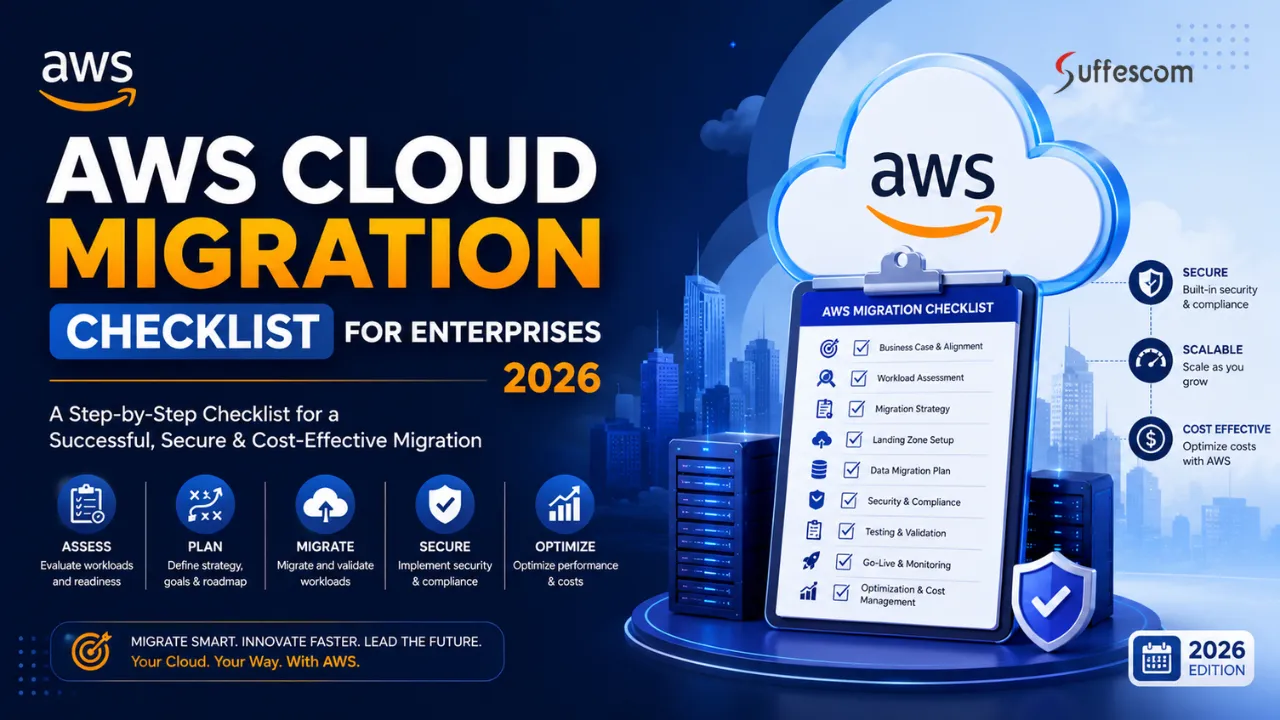
Introduction
Cloud computing is being increasingly adopted by enterprises due to their need for scalability, efficiency, resiliency, and innovation. Of all the available options, AWS (Amazon Web Services) stands out among cloud-based solutions that enable enterprises to transform old technology architectures into more robust and innovative infrastructures. Also, a report states that Amazon Web Services accounted for approximately 28% of the global cloud infrastructure services market. It shows its strong position as a preferred cloud platform for businesses worldwide.
Nevertheless, enterprise cloud migrations go beyond just migrating the workloads to the cloud. There is much more to a successful enterprise cloud migration process as compared to simple cloud migration efforts. In the absence of a migration strategy, businesses stand at risk of encountering project delays, unexpected costs, compliance issues, and lower overall business benefits.
An AWS cloud migration checklist for enterprises assists organisations in adopting a systematic approach to the process of cloud transformation. It serves as an excellent guideline throughout all phases of the migration journey, including assessment, planning, migration, security, governance, and optimisation phases.
The following is an AWS cloud migration checklist for enterprises designed specifically for the CIO, CTO, cloud architect, and IT leaders involved in digital transformations.
Why Enterprise Cloud Migrations Fail Without a Structured Checklist
While most enterprise cloud migration projects start off well-intentioned from a business perspective, some problems occur along the way. Some of these problems might be due to improper infrastructure inventory identification, lack of defined migration goals, minimal stakeholder engagement, absence of governance processes, and underestimated application interdependencies.
Enterprise organisations’ migration efforts may have hundreds of applications, tons of mission-critical data, various business units, and stringent compliance regulations. Without a proper checklist, many activities can be missed out on that affect the entire migration effort.
A well-defined AWS migration checklist helps organisations:
Standardise Migration Planning Processes
A checklist provides a standardised process of migration which is adopted by teams to ensure that all necessary processes, dependencies, and milestones are considered in the project. It allows for less confusion within the team.
Reduce Project Risks and Operational Disruptions
A pre-established migration framework assists organisations in identifying and planning for potential risks and also the implementation of relevant counter-measures and mitigation efforts to minimise or eliminate the disruption when migrating workloads. This therefore eliminates the chance of having business interruption or unforeseen difficulties during the migration.
Improve Stakeholder Alignment and Accountability
A check-list for migrating workload in AWS sets out clearly defined responsibility, the ownership and role of each of the stakeholders. This has the benefit of increasing efficiency and speeding up the decision process and accountability for the whole project team across the business units.
Strengthen Security and Compliance Controls
A defined migration process helps to ensure the identification and implementation of all security requirements related to access controls, data protection controls, and protection of regulatory, legal, or industry requirements. Therefore, using a structured migration process helps organisations maintain compliance and limit their exposure to security risks during the migration process.
Accelerate Migration Execution
By clearly defining the various phases of migration projects, organisations can streamline planning, eliminate unnecessary delays, and improve the efficiency of the execution of workloads. As a result, organisations will achieve their goals related to the adoption of cloud services more efficiently than previously thought.
Improve Cost Visibility and Governance
Making a list of things to do before moving to Amazon Web Services helps companies keep track of how much money they are spending. This list tells them to make a budget, watch how resources are being used and keep an eye on costs. This way, companies can avoid spending much money on the cloud without realising it. It also helps them make financial decisions in the long run.
Increase Overall Migration Success Rates
When big companies make a list of things to do before moving to the cloud they are more likely to finish their projects on time. They can also keep everything running smoothly. Get the results they want for their business. If companies follow a plan they are more likely to have a successful cloud transformation. This means they will be able to move to the cloud without any problems.
The Growing Adoption of AWS Across UK Enterprises
There is an increasing number of UK organisations that have started using AWS, which will help their businesses thrive and increase efficiency in operations. The use of AWS by enterprises belonging to different industries, including finance, health care, manufacturing, retailing, logistics, and governmental sectors, has increased.
Some of the reasons behind the usage of AWS by UK enterprises include:
- Scalability of infrastructure
- Increased digital transformation activities
- Business continuity/disaster recovery needs
- Analytical capabilities
- Artificial intelligence and machine learning usage
- Better cybersecurity practices and compliance
- Flexible operating costs
With cloud investments growing, there has been a rise in structured cloud migration plans by organisations.
What This AWS Migration Checklist Covers
This AWS cloud migration checklist for the enterprise includes everything required in a cloud migration program, such as:
- Cloud readiness assessment
- Developing migration strategy
- Migration governance & risk management
- Implementing AWS Landing Zone
- Securing migration and compliance plan
- Enterprise data migration
- Planning application migration
- Infrastructure migration implementation
- FinOps and cost optimisation
- Testing and validating migration
- Planning and executing cutover
- Optimising after migration
The purpose of creating such a checklist is to assist enterprise management in decision making during their cloud migration process.
Who Should Use This Enterprise Cloud Migration Guide
This guide is intended for stakeholders within an enterprise who are involved in planning, governance, and execution of cloud migration projects.
Primary audiences include:
- Chief Information Officers (CIOs)
- Chief Technology Officers (CTOs)
- IT Directors
- Cloud Architects
- Infrastructure Managers
- Security and Compliance Leaders
- Enterprise Architects
- Cloud Operations Teams
- Digital Transformation Leaders
- Programme and Project Managers
Whether your organisation is embarking on its first migration to AWS, or undertaking a large-scale enterprise cloud transformation programme, this checklist provides an easy to digest reference point for achieving a safe, low-risk and economical migration.
What Is Enterprise AWS Cloud Migration?
Enterprise AWS Cloud Migration is the process whereby an organisation’s applications, data, workloads, and infrastructure are migrated to Amazon Web Services (AWS). As opposed to smaller migrations, enterprise migrations are more complicated since they involve more extensive systems, more business divisions, high security standards, and mission-critical workloads.
Successful enterprise migrations go way beyond just moving servers and databases. They include such processes as assessment of existing infrastructure, development of a migration strategy, setting up proper security measures, governance of the migration process, and optimisation of the workloads so that organisations benefit fully from their use in the cloud environment.
Defining AWS Cloud Migration in an Enterprise Environment
In a company moving to the Amazon Web Services cloud is when you carefully move important computer systems, programs and information to the Amazon Web Services system. This is a job that includes moving a lot of connected programs while making sure everything keeps working and following the rules.
When a company moves to the cloud it usually happens in steps. These steps are checking if the company is ready, finding all the programs, making a map of how they work, planning the move, testing, putting everything in place and making sure it all works well after the move. Companies can choose how they want to move their programs to the cloud. They can just move them as is. They can update them to work better in the cloud or they can make new programs that work even better.
The reason it is so complicated is that big companies have a lot of parts that work together so moving to the cloud needs a team effort. This team includes the computer people, the company leaders, the security experts, the people who make sure they follow the rules and the people who make sure everything runs smoothly.
Common Business Drivers Behind AWS Adoption
Organisations move to Amazon Web Services for important reasons. Companies have to come up with ideas and adapt to what is happening in the market. This is why using the cloud is a part of making businesses more digital.
Some of the reasons companies use Amazon Web Services include:
- Making it possible for the business to grow and handle more work when it is needed.
- Not having to use expensive equipment in their own buildings.
- Being able to keep the business running and recover from disasters.
- Getting applications to people faster and making new things.
- Keeping the business safe with security services.
- Helping people work from home in countries and in different teams.
- Getting to use technologies, like artificial intelligence and machine learning.
- Being able to make changes easily without having to manage a lot of equipment.
These reasons help organisations update their technology and do what they need to do to stay in business. Organisations use Amazon Web Services to make their businesses better and to keep up with what’s happening. Amazon Web Services is very important for organisations to grow and succeed.
Ready to Move Enterprise Workloads to AWS?
Consult our AWS cloud specialists to minimise risks, reduce downtime, and accelerate migration success.
Benefits of Migrating Enterprise Workloads to AWS
AWS has a wide array of services and functionalities that can aid organisations in enhancing efficiency and improving their business resiliency. By deploying applications on AWS, organisations have an opportunity to overcome limitations associated with traditional infrastructures and operate using more flexible models.
Some advantages associated with migration to AWS include:
Enhanced Scalability
AWS offers organisations opportunities to increase or decrease resource usage based on current requirements. This feature makes it possible to meet increasing demands for computing power without acquiring excessive capacity.
Improved Cost Efficiency
Pay-per-use pricing means that organisations do not have to pay for unused computing capacity and will have an opportunity to save money on cloud migration costs related to infrastructure management.
Stronger Security
Amazon Web Services provides a lot of security services to help keep things safe. This includes managing who can do what, encrypting data, watching for problems and finding threats. These tools help companies make their security better and follow the rules they have to.
Greater Reliability and Availability
The Amazon Web Services infrastructure is made to be available and not fail. Companies can put their work in different areas and locations to make sure everything keeps working. They do not have a lot of downtime.
Faster Innovation
Companies can use things like intelligence and machine learning to make new things faster. They can also use services to make new digital things and get them out to people more quickly.
Operational Agility
Because the infrastructure is in the cloud the people who take care of the computers can get things ready, in a few minutes. This used to take weeks. Now they can get projects done faster. Help the company when it needs something.
Enterprise Cloud Migration vs Cloud Modernisation
When we talk about cloud migration and cloud modernisation people often think they are the thing.. They are actually different parts of a company’s journey to the cloud.
Cloud migration is when you move your existing programs, equipment and data to Amazon Web Services. The main goal is to move your work to the cloud without interrupting anything. A lot of companies start by moving their things to the cloud using methods like just lifting and shifting or changing a few things.
Cloud modernisation is different. It is when you change your programs and the way you work to use the cloud technologies. This can include breaking down programs into smaller parts using special containers automating your equipment and using the advanced services that Amazon Web Services offers. So in words cloud migration is about moving your work to the cloud and cloud modernisation is about making your work better and getting the most out of the cloud.
Many big companies do this in steps. They move their work to the cloud first. Then make it better over time. They do this based on what’s important to their business and what will give them the best return on their investment.
Enterprise Benefits of AWS Migration
| Business Objective | AWS Advantage |
| Scalability | Elastic infrastructure that automatically adapts to changing workload demands |
| Cost Reduction | Pay-as-you-go pricing model that reduces capital expenditure and infrastructure waste |
| Security | Built-in security services, encryption capabilities, and identity management controls |
| Innovation | Access to AI, machine learning, analytics, automation, and cloud-native services |
| Resilience | Multi-region and multi-availability zone architecture for improved business continuity and disaster recovery |
AWS Cloud Migration Readiness Assessment Checklist
Before moving any workload to Amazon Web Services companies need to figure out if their people, processes, applications, infrastructure and governance frameworks are ready for the cloud. A cloud migration readiness assessment is the starting point for a migration plan because it finds out the technical problems, business risks, things that need to comply with rules and gaps in operations before anything starts happening.
A lot of companies jump into cloud migration without knowing what they already have. This usually causes them to spend more money than they thought they would have due to unexpected downtime, security issues and delays in migration timelines. A planned readiness assessment helps companies make a plan for migration and reduces uncertainty as they change.
The goal of an Amazon Web Services migration readiness assessment is not just to see if workloads can be moved, but to see how well the company can run, secure, govern and make the most of workloads once they are running in the cloud. The Amazon Web Services migration readiness assessment looks at how the company can operate, secure, govern and optimise Amazon Web Services workloads once they are in the cloud.
Assess Existing Infrastructure and Applications
Gaining visibility of the present IT environment is the initial step in conducting a readiness assessment. Enterprises use hundreds of applications, databases, servers, storage, and networking elements which have been developed over many years. This information will form the foundation of an effective migration strategy.
An organisation needs to make an inventory list of all infrastructure elements and workloads, which will be part of the migration initiative. The list must include application ownership, functional areas, infrastructure dependencies, hosting facilities, performance considerations, and support frameworks.
In the course of such an assessment exercise, it would be imperative for organisations to assess:
- The physical and virtual server environment
- The storage infrastructure and databases
- The network infrastructure and connectivity needs
- Mission-critical applications
- Legacy hardware and software
- Integration with third party systems
- Inter-dependency of applications and data flow
- Current approaches to backup and disaster recovery
All applications cannot be considered suitable for migration to the cloud. Some applications may need to be re-factored, whereas other applications may need to continue operating on premises.
Conduct Cloud Readiness Assessments
Once the current environment’s documented organisations should check if they are ready to move to the cloud. This involves looking at abilities, how well operations are run, governance structures, security practices and if the organisation is prepared.
A cloud readiness check helps answer questions like:
- Are existing applications compatible with AWS services?
- Does the organisation have expertise in cloud?
- Are security controls aligned with how the cloud operates?
- Can current operational processes support environments?
- Are governance frameworks mature enough to manage resources?
- Does the organisation have support from executives for cloud transformation?
The check should find gaps that must be fixed before migration starts. These findings often affect when migration happens what resources are needed, training plans and what investments are prioritised.
Organisations that do readiness checks usually have fewer problems during migration and get to the cloud faster. Organisations that conduct readiness assessments typically experience fewer disruptions, during migration and achieve faster cloud adoption outcomes.
Identify Business and Technical Stakeholders
Migration into cloud computing does not only involve the IT department; there are other departments in any organisation that might need to take part in the migration process or even be affected by the process. This is why stakeholder alignment is extremely important for successful cloud computing migration.
An enterprise should consider all the people and departments that would have any impact on the decision-making processes during migration.
Key stakeholders often include:
- CIOs and CTOs
- IT Director
- Cloud Computing Architect
- Infrastructure Departments
- Security Departments
- Compliance Departments
- Risk Management Departments
- Application Owners
- Operations Departments
- Support Departments
Specifying responsibilities of stakeholders aids in avoiding any decision-making logjam and maintains accountability throughout the migration process. It also allows organisations to plan their communications strategy before embarking on migration tasks.
Establish Executive Sponsorship
Some of the top reasons why corporate cloud projects fail include lack of executive sponsorship. Corporate cloud projects need considerable investment, organisational changes, process improvement, and cross-departmental collaboration.
Executive sponsors assist in aligning corporate cloud projects to business goals while offering strategic guidance and organisational backing.
Benefits of having effective executive sponsorship include:
- Faster decision making
- Access to adequate funds
- Removal of organisational hurdles
- Alignment with business goals
- Change management efforts
- Increased stakeholder participation
Corporate cloud project success relies on the active participation of top-level executives like CIOs, CTOs, and other business executives.
Build a Cloud Centre of Excellence (CCoE)
As the cloud landscape of any organisation expands, a specific governance and leadership framework is required to direct the process. The role of Cloud Centre of Excellence (CCoE) is to provide a single team that would establish standards and governance for cloud computing, best practices of architecture, and operation policies.
The key role of CCoE is to act as an intermediary body, linking business priorities and activities related to cloud migration.
Common activities performed by the Cloud Centre of Excellence:
- Cloud governance frameworks definition
- Architectural standards definition
- Security and compliance policy formulation
- Migration planning support
- Cloud operating models creation
- Cloud cost governance initiatives management
- Skills development and training
- Monitoring the pace of cloud adoption
Having a mature Cloud Centre of Excellence leads to better results in terms of cloud migration consistency and governance.
Define Migration Success Criteria
Before migration starts, it is important to define success criteria for it. It will not be possible to assess whether the migration process has added value to the company if success criteria have not been defined from the outset.
There are technical and business metrics that are used to measure the success of migration. These metrics serve as indicators of project success and successful migration.
Typical examples of success criteria are as follows:
- Decrease in infrastructure costs
- Improvement in application performance
- Greater availability of systems
- Faster deployment process
- Operational cost savings
- Better security situation
- Disaster recovery improvements
- Targets of compliance
- Gains in operational flexibility
- Achieving business continuity goals
The setting up of success criteria will help businesses make better migration decisions.
Cloud Readiness Assessment Framework
| Assessment Area | Evaluation Criteria | Priority |
| Applications | Cloud compatibility, architecture complexity, dependency mapping | High |
| Infrastructure | Hardware lifecycle status, scalability limitations, end-of-life risks | High |
| Security | Compliance gaps, access controls, encryption requirements, security maturity | High |
| Operations | Process maturity, monitoring capabilities, incident management readiness | Medium |
| Teams | Cloud skills readiness, training requirements, resource availability | High |
AWS Migration Strategy and Planning Framework
An effective migration from the organisation’s existing infrastructure to AWS involves planning as much as execution. Although a readiness assessment enables organisations to understand their current environment, the migration strategy and planning stage identifies the methods by which the workloads will be migrated, transformed, and optimised throughout the process.
Organisations usually have multiple enterprise applications, mission-critical systems, databases, third-party integration, and sensitive workloads within their environment. A one-size-fits-all approach towards migrating workloads may result in wastage of money and time.
An Amazon Web Services migration strategy is really important because it gives us a plan for looking at the work we do, choosing the best way to move it to the cloud, deciding what to do first and making sure our cloud plans match what the business wants to achieve.
This Amazon Web Services migration strategy also helps organisations avoid problems when moving to the cloud, plan how to use resources and set realistic goals for when everything will be done.
Modernize Legacy Systems on AWS
Transform outdated infrastructure into a scalable, high-performance cloud environment built for future growth.
Understanding the 7 Rs of Cloud Migration
The AWS 7 Rs is one of the most widely accepted methodologies used for planning cloud migration projects. It assists organisations in determining the best migration method for each application considering their business needs, technical challenges, costs, and cloud migration goals.
As opposed to taking the same path with all the workloads, the 7Rs understand that each application requires its own method.
Rehost
The Rehost migration method, also known as “Lift and Shift”, entails the migration of applications to AWS without making any changes to the architecture of the application.
Rehosting is considered as a good choice when companies want to expedite the cloud migration process, move out of their data centers, or want to decrease the burden of managing their infrastructure in a short period of time.
It helps achieve fast migration but, at times, the workload might need more optimisation post-migration.
Replatform
Replatforming is defined by executing targeted optimisations of applications during the migration without changing their underlying architecture.
These optimisations can include moving databases to AWS managed services, optimising configurations for better scaling, and improving selected infrastructure components without changing the business functionalities of the application.
By choosing replatforming, an enterprise benefits from cloud while not having to spend much time and resources in developing applications from scratch.
Refactor
Refactoring means re-architecting or re-building applications to take better advantage of cloud native technology and AWS services. Refactoring is generally the best approach for the mission critical applications that need more elasticity, agility, resilience, and innovation capabilities in the long term. This requires more planning, upfront investment and engineering resources but it yields the greatest long term cloud ROI.
Repurchase
Repurchasing entails purchasing software applications in the form of cloud-based Software-as-a-Service (SaaS) products instead of moving legacy applications to AWS directly.
This technique is often applied in cases where legacy applications are out-of-date in terms of business needs and a better SaaS product can meet those needs.
Retire
To retire means to identify and retire those apps, systems, or infrastructure elements that no longer offer business value. In migration assessments, many organisations realise that there are redundancies in terms of workloads that need to be retired in order to simplify migration efforts.
Retirement makes migration easier, reduces costs, and frees up capacity that can now be used elsewhere.
Retain
To retain is to choose not to migrate a certain workload to AWS for reasons like legal constraints, technological constraints, licensing constraints, or business reasons. Retaining is useful where an organisation may not have the capability or inclination to migrate yet, but would like to maintain its hybrid cloud architecture.
By retaining, organisations can continue using their hybrid approach while planning for future migrations.
Relocate
Relocation means shifting virtual machine-based workloads into the AWS environment without changing their underlying architecture or operational mechanisms. Relocation is frequently adopted by VMware workloads that need to be migrated to the cloud with minimal changes to existing operational frameworks and processes.
It allows organisations to gain the advantages of the AWS environment with little change in their operations.
Selecting the Appropriate Migration Strategy
Choosing the way to move to the cloud is super important when companies change how they work with technology. It really depends on things like what the company wants to achieve, how complicated the programs are, rules they have to follow, what other technology they use and how much money they can spend.
Before picking a way to move companies should think about:
- Business criticality of applications
- Expected migration timelines
- Application architecture maturity
- Modernisation requirements
- Regulatory obligations
- Security requirements
- Operational complexity
- Total cost of ownership (TCO)
For instance a program that customers use and needs to grow might be good to change a lot. On the other hand , a steady program that only employees use might just need to be moved as is.
Lots of companies use a mix of moving strategies of just one. This way they can move things efficiently. Make sure their cloud spending matches their goals.
Designing Migration Waves
Large companies do not usually move everything to the cloud at the time. Instead they group workloads into what’re called migration waves based on what is important to the business, how different applications work together, how complicated they are and what kind of risks are involved.
Migration waves are a way to move to the cloud because they break down big projects into smaller more controlled parts.
A typical plan for migration waves may include:
Wave 1: Low-Risk Workloads
The first wave usually includes applications that’re not critical so teams can get some experience with migration and make sure their tools, processes and rules are working properly.
Wave 2: Core Business Applications
After the first wave is successful companies move applications that are important for the business but are not too complicated to migrate.
Wave 3: Business-Critical Systems
The last wave usually includes applications that’re very important and complicated so they need a lot of planning, testing and people involved.
Benefits of migration waves include:
- Less risk when migrating
- Better management of resources
- Finding problems faster
- People who are involved in the business feel more confident
- The company gets value from the migration a little at a time
Migration waves also give companies a chance to improve their migration processes before moving workloads to Amazon Web Services or AWS which is what we call the cloud service.
Dependency Mapping and Discovery
Migration delays often happen because people do not fully understand how parts of an application work together. These systems are connected in ways. They use databases, APIs and other shared parts. If you try to move an application without knowing how all these parts work together it can cause problems.
The application might not work well as it should or it might even stop working altogether. To avoid these problems you need to understand the dependencies of an application.
This means you need to know about:
- Communication between applications
- Relationships between databases
- Connectivity needs of the network
- Shared services and middleware
- Authentication and identity integrations
- Patterns of data flows
- Dependence on third party services
Dependency maps help businesses decide the sequence in which the migrations can be carried out.
They also enable organisations to make migration waves effectively and reduce operational risks during the migration process to the cloud.
Building a Migration Roadmap
A migration roadmap turns assessment results and strategic choices into a plan. It gives stakeholders a picture of migration steps, timelines, key milestones, needed resources and expected results.
An enterprise AWS migration roadmap typically includes:
- Migration objectives & business goals
- Workload prioritisation criteria
- Schedules for migration waves
- Security and compliance milestones
- Landing zone implementation activities
- Timings for application migrations
- Infrastructure migration schedules
- Stages of testing and validation
- Activities related to cutover and go-live
The roadmap must stay flexible to adjust to changing business needs while keeping in line with transformation goals.
A good migration roadmap helps organisations improve governance, track progress and keep stakeholders confident, during the migration programme.
AWS 7 Rs Framework
| Strategy | Description | Ideal Use Case |
| Rehost | Lift and Shift | Quick migration |
| Replatform | Optimise during move | Moderate modernisation |
| Refactor | Re-architect application | Cloud-native goals |
| Repurchase | SaaS replacement | Legacy systems |
| Retire | Decommission assets | Redundant applications |
| Retain | Keep on-premises | Regulatory requirements |
| Relocate | Hypervisor migration | VMware workloads |
Enterprise AWS Migration Risk Assessment Matrix
Cloud migration provides many business advantages; however, it also poses some operational, financial, security, and compliance risks that have to be considered throughout the entire process of migrating. In the case of enterprise organisations, even a small problem during migration can influence the work of the enterprise, its relationship with clients, regulations, and income generation.
Risk assessment can help the enterprise identify risks prior to starting the migration process, measure how harmful they will be for the company, and apply the necessary risk management measures. Thus, companies do not need to react to any risks only when they emerge; instead, enterprises are capable of managing them in advance.
It is important to incorporate risk management into each stage of the AWS migration process.
Why Risk Assessment Is Critical Before Migration
Enterprise migrations typically entail critical business applications, large volumes of data, multiple stakeholders, and a complex IT infrastructure environment. The higher the complexity of the enterprise migration, the greater the chances of any possible disruption arising from such complexity.
The performance of a proper risk assessment enables organisations to appreciate the weak areas of their migration efforts and how they will affect its success. This also increases the awareness of decision-makers about some of the likely challenges in the process.
By performing a risk assessment before the enterprise migration:
- Organisations can identify their weaknesses
- Minimise the chances of service disruption
- Enhance security and compliance measures
- Make their migration plans more accurate
- Develop contingency and rollback procedures
- Gain stakeholder confidence through the entire migration project
When businesses find problems and fix them early companies are in a place to get what they want from moving things to a new system. This way the business can keep running without any issues. Companies can achieve their migration goals. Keep everything working smoothly.
Common Enterprise Cloud Migration Risks
Each migration project entails specific risks associated with the complexity of workload, compliance needs, organisational readiness, and the migration process itself. Nevertheless, certain types of risks tend to surface in all corporate cloud migration initiatives.
Data Loss and Data Integrity Issues
Data is very important for any organisation. If backup procedures are not good, migration errors happen, data transfers get corrupted or validation processes are not complete; it can cause data loss or integrity issues during migration. Organisations must set up backup, recovery and validation systems before moving important data to AWS.
Unplanned Downtime and Service Disruptions
Unexpected outages can hurt customers, employees and business. Downtime often happens because testing is not enough, dependencies fail, configuration errors occur or cutover activities are not planned well. Good testing and step-by-step migration approaches help reduce disruption.
Security Vulnerabilities
Cloud environments have security issues that traditional infrastructure may not have. If access controls are not set up right, encryption practices are not good and monitoring is not enough; organisations can be exposed to security threats. Security needs should be part of migration planning, from the start.
Cost Overruns
When we move to the cloud it can really help us save money.. If we do not plan well and do not keep an eye on our spending it can get out of control. We might end up paying for things we do not need. We might set up our systems in a way that is not efficient. This is why we need to keep track of what we’re spending and make sure we are doing things in a smart way. We need to have financial management and follow best practices to make sure we are not overspending on the cloud.
Compliance and Regulatory Failures
When companies work with information they have to make sure they are following all the rules. If they do not they can get in trouble. Have to pay fines. They can also damage their reputation. So companies should always check to make sure they are doing things correctly when they move to the cloud.
Skills and Resource Gaps
A lot of companies do not realise how much they need to know to manage the cloud. If they do not have people who’re good at working with the cloud it can cause problems and slow things down. This is why companies should provide training for their employees and get help from experts.
Risk Ownership and Accountability Framework
To manage risks we need to know who is in charge.One big problem is when everyone thinks someone else is responsible. So companies should make a plan that says who is in charge of each type of risk. Each risk should have one person who’s responsible, for watching out for it, making a plan to deal with it and reporting on it.
This way we can make sure we are doing everything we can to manage risks when we move to the cloud.
Typical risk ownership may include:
| Risk Area | Primary Owner |
| Security Risks | Security and Compliance Teams |
| Infrastructure Risks | Cloud Operations Teams |
| Application Risks | Application Owners |
| Data Migration Risks | Database and Data Teams |
| Compliance Risks | Governance and Risk Teams |
| Cost Management Risks | FinOps Teams |
| Business Continuity Risks | IT Leadership and Operations Teams |
The presence of clear accountability ensures better decision making and enhances governance capabilities, reducing the chances that unaddressed risks may adversely affect migration results.
Migration Governance Structure
Effective risk management is much easier to implement if it takes place within an official governance model. Governance ensures oversight to monitor migration activities, control exceptions, ensure adherence to standards, and resolve risks before they escalate.
An example of a migration governance framework could consist of sponsorships from executives, steering committees, cloud architects, security officers, project managers, and operation stakeholders.
Key governance responsibilities often include:
- Reviewing migration progress and milestones
- Approval of migration and change decisions
- Risk mitigation activities monitoring
- Compliance management
- Issue escalation
- Monitoring of business results and measures
The process of governance assists in making sure that all migration activities are consistent with organisational goals.
Risk Monitoring Throughout Migration Waves
Risk assessment must not be considered a one-time activity carried out at the time of project planning. The risks associated with enterprise migration will continue to change with the migration process moving forward through different waves of migration.
Continuous risk monitoring will allow enterprises to detect any emerging risks, assess the efficiency of their risk mitigation strategies and make adjustments accordingly.
Some key risk monitoring activities include:
- Risk assessment meetings
- Migration wave readiness testing
- Security and compliance checks
- Cost monitoring and forecasting analysis
- Performance analysis of applications
- Issue management
- Lessons learned sessions after each wave
Every migration wave offers lessons that can be leveraged for the next wave of migration.
Enterprise Migration Risk Matrix
| Risk Category | Business Impact | Probability | Mitigation Strategy |
| Data Loss | High | Medium | Backup validation |
| Downtime | High | Medium | Pilot migrations |
| Security Gaps | High | Low | Security audits |
| Cost Overruns | Medium | High | FinOps governance |
| Compliance Failures | High | Low | Continuous compliance reviews |
Enterprise AWS Landing Zone Setup Checklist
Before moving any workload to AWS, organisations need to create what AWS refers to as an AWS Landing Zone – this is an environment built for cloud adoption with security principles, network architectures, access governance, and management controls necessary for successful adoption of the cloud.
Below is a checklist of what organisations should consider while developing their AWS Landing Zone.
What Is an AWS Landing Zone?
An AWS Landing Zone is like a made cloud space that follows all the best rules for security and other important things. It is where you start when you want to use the cloud. It helps you put your work in the cloud in a way that is easy to manage.
Think of an AWS Landing Zone like a plan for your space. By doing things one by one you make a plan that you can use everywhere in the cloud.
A well-designed landing zone typically includes:
- Multi-account architecture
- Identity and access management controls
- Network segmentation
- Logging and monitoring services
- Security guardrails
- Compliance controls
- Cost management frameworks
- Operational governance policies
If you set up an AWS Landing Zone with these things at the start you can move to the cloud faster. Still be safe and follow all the rules. This helps AWS Landing Zone be a place to start with. An AWS Landing Zone is very important, for people who want to use the cloud in a way.
Multi-Account Strategy
One of the decisions when it comes to setting up a landing zone is how to set up the AWS accounts. Big companies do not usually use one AWS account because that can cause problems with security and management.
Using more than one AWS account lets companies separate the different things they do based on what each part of the business does or what environment they are in or what they need to keep safe or who is in charge of what.
For example, enterprises often maintain separate accounts for:
- Production workloads
- Development environments
- Testing and quality assurance
- Shared services
- Security operations
- Logging and monitoring
- Individual business units
This way of doing things helps keep each part of the business from the others, makes it easier to control who can do what and helps the company follow the rules it needs to. It also means that if something goes wrong with one part it will not affect the parts as much.
Having a plan for how the AWS accounts are set up also helps companies get better at using the cloud as more and more parts of the business start using it. This makes it easier for the company to grow and use the cloud effectively.
Identity and Access Management Design
Access control for cloud resources is one of the core aspects of creating an effective landing zone architecture. It needs to be considered even before migrating workloads from one cloud environment to another is carried out, since it ensures proper control over access throughout an enterprise.
Enterprise IAM initiatives must prioritise the least privilege strategy and provide users with the minimal privileges necessary to execute their tasks successfully. The list of best practices related to this goal includes using centralised authentication services, implementing role-based access, privileged access management, multi-factor authentication (MFA), and identity federation with corporate directories.
An effective IAM system will help organisations minimise security risks as well as facilitate user access management in various AWS accounts.
Network Architecture Planning
Another element that must be included in designing a landing zone is the network design. Failure to plan properly will result in challenges like poor connectivity, potential security risks, slow network performance, among others. Enterprise AWS network designs should facilitate secure communication among application servers, users, data centres, and clouds.
Key planning considerations include:
- Virtual Private Cloud (VPC) design
- IP address management
- Subnet architecture
- Network segmentation
- Hybrid connectivity requirements
- Internet access controls
- Cross-account communication
- Multi-region connectivity strategies
A good network design allows organisations to accommodate their present demands as well as future ones.
Logging and Monitoring Foundations
Visibility is key to securing cloud operations, ensuring good performance and compliance in the cloud environment. Before moving any workloads to the cloud, an organisation should ensure that centralised logging and monitoring systems have been put in place to monitor what happens in the cloud environment and the behaviour of the systems.
The building blocks of monitoring assist users in detecting problems, investigating security breaches, keeping track of performance trends, as well as staying stable operationally. A good monitoring strategy encompasses monitoring infrastructure status, application performance, security events, audit log files, compliance reports, incident response, and capacity management needs among others. All this contributes to the visibility required for good workload management in the cloud.
Early logging and monitoring help organisations to monitor their workloads when migrated to the AWS cloud.
Governance and Policy Controls
The concept of governance is what makes an array of AWS accounts transform to become an effectively governed enterprise cloud environment. With the increasing adoption of cloud technologies, organisations need to set up policies and controls in order to deploy and manage cloud resources consistently.
Governance controls are useful to organisations to make sure that there are security, cost, compliance, and risk controls in place across their cloud environments.
A few common items under cloud governance include:
- Resource provisioning standards
- Security configurations
- Tagging requirements
- Cost management controls
- Compliance monitoring
- Change management processes
- Data protection requirements
- Access management policies
Through the implementation of governance controls at the landing zone level, companies will be able to scale their operations in the cloud.
Landing Zone Components
| AWS Component | Purpose |
| Organisations | Multi-account governance |
| IAM Identity Center | Centralised access |
| VPC | Network segmentation |
| Transit Gateway | Enterprise connectivity |
| CloudTrail | Audit logging |
| Config | Compliance monitoring |
AWS Security and Compliance Checklist for Enterprises
Security and compliance are some of the most critical aspects to consider in any enterprise migration to the cloud. Although AWS is a very secure cloud platform provider, it still falls upon the enterprise itself to secure its applications, data, identities, and other resources in the cloud environment.
Security-by-Design Principles
Security by design is really important. We need to think about security at every stage of moving to the cloud, not just add it later. This means that when we build our cloud systems, applications and processes we should always consider security from the start.
Big companies should make sure to include security in their planning and checks. They should think about security when they review their systems, plan their move to the cloud, set up their infrastructure and manage their operations. If we do this we can reduce the risk of security problems, make sure we follow the rules and keep our cloud systems safe in the run.
Data Encryption Requirements
We also need to protect our data. This is a requirement for any company using the cloud. Before we move our workloads to Amazon Web Services we should have standards in place for encrypting our data. This way our data will be safe when it is being sent and when it is stored in the cloud.
Our encryption policies should cover things like what kind of data we need to protect, how we manage our encryption keys, how we backup our data and what the laws require us to do. We should also have rules for managing our encryption keys and controlling who can access our protected data. This is all part of keeping our data safe in the cloud.
Identity and Access Governance
The importance of identity and access governance cannot be overstated because it is key to securing cloud environments against any access and misuse of privileges. With the increasing use of cloud computing by organisations, there should be consistency in the way access is managed across users, teams, applications, and AWS accounts.
Governance involves ensuring that permissions are granted to users depending on what they need to do while also monitoring how they are using the services they have access to.
Vulnerability Management Controls
The enterprise workloads have to be continually tested for any security flaws throughout the entire migration process and even when deployed. The practice of vulnerability management allows enterprises to discover, prioritise, and mitigate security problems before they can exploit them.
A successful vulnerability management system will involve conducting periodic security scans, configurations checks, patches and mitigation activities. The security team must also develop mechanisms for tracking emerging threats and assessing how they affect the migrated workloads.
Continuous Monitoring and Threat Detection
Security monitoring needs to be continued well beyond the point where the load has been moved to AWS. This will help an organisation to find any suspicious behaviour, investigate it, and take measures against any security threats.
There are a number of elements that must be included in an organisation’s monitoring strategy, which include the following: monitoring user behaviour, infrastructure behaviour, application behaviour, network behaviour, and compliance behaviour.
UK Regulatory and Industry Compliance Requirements
A business that operates in the UK will need to ensure that their cloud environment conforms to relevant legal and industry standards. Each sector, industry or specific functional area will have different compliance obligations.
When an organisation is migrating, it must review the relevant compliance frameworks for the workload being migrated and controls that ensure regulatory requirements are constantly met.
Enterprise Compliance Checklist
| Compliance Framework | Applicability |
| UK GDPR | Personal data |
| ISO 27001 | Information security |
| Cyber Essentials Plus | UK organisations |
| PCI DSS | Payment environments |
| SOC 2 | Service providers |
Enterprise Data Migration Checklist
Data migration is an important part of moving an enterprise to Amazon Web Services. When we move to the cloud we can. Reconfigure the applications and infrastructure but we have to move the business data carefully. We need to make sure the data gets to Amazon Web Services accurately, securely and without disrupting the work.
A good plan for data migration helps organisations keep their data safe, reduce the risks of moving and make sure the business keeps running while we do the migration. Before we actually move the data to Amazon Web Services we should check the data to see if it is good pick the tools to help us move it figure out how we will make sure everything is working correctly and have a plan, in place to recover if something goes wrong so we can minimize the risks to the business and make sure we are complying with the rules.
Data Discovery and Classification
Before you move your data to Amazon Web Services you need to know everything about the data you already have. This means you have to find out where your data is, who is in charge of it, how it is being used and which parts of your business need it. If you do not do this properly you might miss data or move things you do not need.
Figuring out what kind of data you have is also very important. This is because different kinds of data need to be protected in ways. When you sort your data into groups based on how sensitive it is, what the rules say you have to do and how important it is to your business you can keep it safe and move it to Amazon Web Services in the best way possible.
Data Cleansing and Quality Assurance
Migrating duplicate or wrong data can cause problems and make cloud investments less valuable. Before you start migrating companies should look at the data they already have. Find ways to make it better.
You usually clean up data by getting rid of copies, fixing mistakes, making sure everything is in the same format and checking that important business information is correct. Making sure data is good before you migrate it helps you save money on storage, makes your applications work better and gives you trust in the data you are moving.
Choosing AWS Data Migration Tools
There are many AWS services that cater to diverse situations associated with migrating data from other locations. The choice of service should be made taking into consideration the amount of data, sources, networking capability, time frames, etc.
The enterprises need to consider scalability, performance, security, and operational ease while choosing the right migration tool. The right selection will help the enterprise save considerable time during migration.
Data Transfer Strategy
The effective transfer strategy makes it possible for an organisation to understand how the transfer of data is to be undertaken from current systems to AWS. The chosen strategy will take into consideration goals, bandwidth, time frame, and acceptable period of downtime.
In case of extensive migration activities, a phase-wise implementation becomes necessary. It will involve moving crucial data first. Such a strategy ensures smooth transfer of data without creating disruptions in organisational operations.
Data Validation Procedures
Data transfer does not necessarily mean success in migration. It is essential for organisations to ensure that the transferred data is correct, intact, and accessible within AWS.
Validation can take the form of consistency checking, record comparison, integrity testing, and even business validation activities. Through these, discrepancies will be spotted immediately to give assurance that the migrated data can indeed be used for business operations.
Backup and Recovery Planning
Backup and Recovery Plan should be in place before beginning the Data Migration activity. Even the most thought-out data migrations sometimes may face problems, hence the need for backup and recovery options to safeguard vital data from being lost.
The company needs to have secured backup options available and clearly outlined procedures in case of failure during data migration activities.
AWS Data Migration Tools
| Tool | Use Case |
| AWS DMS | Database migration |
| AWS DataSync | Large-scale file transfer |
| AWS Snow Family | Offline migration |
| AWS Transfer Family | Managed file transfer |
Application Migration Checklist for AWS
When we talk about applications we are talking about the valuable things a company has. So it is very important to look at these applications when a company is moving to Amazon Web Services. Before we start moving these applications we need to look at how they’re built, what they need to work and how we can make them better. This will help us decide how to move them to the system.
Application Portfolio Discovery
Step 1 is to build a full catalog of applications that will be part of the migration program. Application owners, business function, technology stack, support needs, and migration complexity should all be identified by the organisation.
This review can also be used to categorise workloads and to identify which application(s) should be migrated, modernised, retained or decommissioned.
Application Dependency Mapping
The majority of enterprise applications are dependent on one or more of: databases, APIs, middleware platforms, authentication platforms and third party integrations. Comprehending the level of dependency is vital when approaching planning of migration waves and avoiding operational disruption. The accurate mapping of dependencies ensures organisations can establish migration sequencing.
Identifying Modernisation Opportunities
When we move to the cloud we can also make our applications work better and be more efficient. When we look at our applications we should find out which ones can be improved by using cloud technologies or making changes to how they are built.
We should decide which improvements to make based on how they will help the company, how hard they are to do and how much they will cost. We should look at each application like the application. See how we can improve the application. This will help us make the most of our move to the cloud and make our applications like the application.
Containerisation and Kubernetes Readiness
The applications have to be assessed to see if containerization is the right choice for them. The criteria like architecture of the application, scalability, deployment, and maturity level all have an impact on containerization decisions. The workloads that are fit for containerization can enjoy some benefits in the AWS environment.
Cloud-Native Architecture Assessment
Cloud-native evaluation is a way to understand whether applications are capable of using services offered by AWS, including serverless architecture, managed databases, event-based systems, and auto-scaling.
The cloud-native design philosophy often leads to better agility and resilience of applications, and higher cost-effectiveness in the long run.
Migration Decision Matrix
| Factor | Rehost | Modernise |
| Time to Cloud | Fast | Moderate |
| Initial Cost | Lower | Higher |
| Long-Term ROI | Moderate | High |
| Scalability | Moderate | High |
AWS Infrastructure Migration Checklist
An infrastructure migration strategy acts as the basis for the entire process of migration to the AWS platform by an organisation. Prior to migrating to the cloud environment, it is important for an organisation to assess its computing needs, storage capacity, network design, connections, and resiliency.
The benefits of having a sound infrastructure migration strategy include risk minimisation and effective operations.
Compute Resource Planning
Objective: Ensure workloads are properly sized and aligned with business performance requirements.
Key Considerations:
- Current CPU and memory utilisation
- Workload performance requirements
- Future scalability expectations
- Operating system compatibility
- Resource rightsizing opportunities
Storage Migration Planning
Objective: Select storage solutions that meet performance, availability, and retention requirements.
Key Considerations:
- Data growth projections
- Storage performance requirements
- Backup and retention policies
- Archiving requirements
- Cost optimisation opportunities
Network Migration Strategy
Objective: Build a secure and scalable network architecture for cloud workloads.
Key Considerations:
- Network segmentation requirements
- IP address planning
- Routing and connectivity design
- Security controls and firewalls
- Future expansion requirements
Hybrid Cloud Connectivity
Objective: Enable reliable communication between on-premises systems and AWS environments.
Key Considerations:
- Data transfer requirements
- Latency considerations
- Security requirements
- Connectivity redundancy
- Business continuity needs
Disaster Recovery Architecture
Objective: Minimise operational disruption during outages or unexpected failures.
Key Considerations:
- Recovery Time Objectives (RTO)
- Recovery Point Objectives (RPO)
- Backup strategies
- Failover mechanisms
- Disaster recovery testing
High Availability Design
Objective: Maintain service availability and eliminate single points of failure.
Key Considerations:
- Multi-AZ deployment strategies
- Workload redundancy
- Automated failover capabilities
- Load balancing requirements
- Infrastructure resilience planning
AWS Migration Governance and Operating Model
Migrations to AWS can’t be done just by relying on technology. With the adoption of cloud within organisations becoming more prevalent, there is a requirement for governance models that will help keep the cloud environment safe and secure.
The absence of an operating model within an organisation may lead to issues around inconsistent management of resources, violations of policies, lack of proper security, and uncontrolled costs related to the use of cloud services.
Establishing Cloud Governance Frameworks
Cloud governance ensures the establishment of guidelines and controls in order to properly use AWS tools in the organisation.
Formulate policies relating to the security of data, compliance, cost control, resource allocation, and accountability. Cloud governance must be aligned with the business objectives of the firm.
Defining Cloud Roles and Responsibilities
The implementation of cloud computing is done by many individuals and the lack of clear ownership leads to delays in decision-making processes.
Identify the roles responsible for the following functions: cloud security, infrastructure, compliance, cost control, application, and operations. Every role in the cloud must have an owner.
Building Enterprise Cloud Operating Models
Operating model is a guide on how to coordinate teamwork, manage workload, and manage cloud services once the migration process has been completed.
Formulate standard processes for managing resources, responding to incidents, implementing changes, managing security operations, and providing workload support. An effective operating model ensures consistent operations regardless of the business unit and cloud environment used.
Change Management Processes
Clouds are always changing at a fast pace, meaning there are high risks of having any change go out of control. Put in place processes for managing change when it involves changing infrastructure, software, security controls, or deployments.
Cloud Policy Enforcement
A governance framework will only work if the policies are being adhered to at all times in the cloud environment. Have in place methods for monitoring and ensuring that the policy is followed by putting in place automated controls.
Audit and Compliance Governance
Businesses are required to have continuing evidence of conformity with the organisation’s own policies, legislation, and industry standards. Build processes that would ensure adequate audit preparation, monitoring of the compliance, evidence gathering and reporting. Constant governance may significantly reduce risks of compliance and increase preparedness.
Governance Responsibility Matrix
| Function | Owner |
| Cloud Security | CISO Team |
| Cost Management | FinOps Team |
| Compliance | Risk & Governance |
| Infrastructure | Cloud Operations |
| Application Delivery | Engineering Teams |
Cloud Cost Optimisation and FinOps Checklist
One of the misconceptions about cloud adoption is that the cost of using the cloud automatically goes down after you move to the cloud. The truth is that using Amazon Web Services can save you a lot of money but you have to plan and keep a close eye on things to really save money. If you do not have controls in place your company might end up using too many resources, getting more than you need and spending more money on the cloud than you expected.
This is where something called FinOps comes in. FinOps is important because it helps companies keep track of how much money they are spending on the cloud, see what is going on with their cloud services and use the best engineering practices to get the most value out of their cloud investments while keeping costs under control.
Forecasting Cloud Costs Before Migration
Figuring out how to save money on the cloud starts before you even move your workloads to the cloud. Companies should look at how much they’re spending on their current infrastructure and try to guess how much they will spend on Amazon Web Services based on what they need to run their workloads, how much storage they will use, what kind of networking they need and how much they think they will grow.
Doing a job of forecasting what your costs will be helps the people involved understand what the cloud will really cost, set realistic budgets and make a stronger case for why moving to the cloud is a good idea. It also makes it less likely that you will spend money than you expect to during the migration process.
Creating Enterprise Tagging Standards
As cloud environments get bigger it’s really important to keep track of things. Tagging helps organise and keep an eye on resources across different departments, applications, projects and business units.
A good tagging plan helps organisations to accurately allocate costs, make reports, simplify governance and find ways to improve. Setting up tagging rules makes it easier to manage as cloud use grows.
Resource Rightsizing Best Practices
Many organisations move their workloads to the cloud based on infrastructure specs without checking if they’re really needed. This often leads to cloud resources being too big and wasting money.
Rightsizing is about making sure cloud resources match what the workload needs. By looking at how things are used and performance numbers companies can make resource allocation better while keeping apps running smoothly and reliably.
Reserved Instances vs Savings Plans
Amazon Web Services offers a few ways to pay for things that can help lower the cost of using the cloud compared to the usual pricing. The best way to pay depends on how well you can predict what you will need, how you will use the cloud and what your business needs will be in the term.
If you have a workload that’s pretty stable and you know how much you will use then Reserved Instances are a good choice.. If you need more flexibility with different services and types of resources then Savings Plans are a better option. Looking at both options can help businesses save money without slowing down their operations.
Implementing FinOps Governance
You should not just try to save money one time. Then forget about it. FinOps governance is a system that helps you manage your cloud spending by setting up processes, assigning responsibilities and making decisions.
To make FinOps work well you need to have different teams, like finance, operations, engineering and business work together. When everyone shares the responsibility, managing costs becomes a part of using the cloud every day rather than just reacting to problems.
Continuous Cost Monitoring
With the changing nature of workloads and addition/deletion of resources cloud spending costs fluctuate regularly. By monitoring the costs, the organisation can identify trends, identify anomalies and react to cost wastage immediately.
Reviewing the cloud spend, budgets, forecast and optimisation possibilities regularly ensures control over cloud spending to grow business efficiently. Continual monitoring also helps in decision making regarding further cloud spend.
Cost Optimisation Opportunities
| Area | Optimisation Strategy |
| Compute | Rightsizing |
| Storage | Lifecycle policies |
| Databases | Capacity optimisation |
| Networking | Traffic analysis |
| Licensing | BYOL assessment |
AWS Migration ROI Calculator Framework for Enterprise Leaders
For business leaders the success of moving to AWS is measured by how much value it brings to the business, not just getting the technical stuff done. A clear plan to check the return on investment helps companies see how moving to AWS will affect their finances, compare costs to expected gains and make an argument for changing to the cloud.
Building the Business Case for AWS Migration
A good argument for moving to AWS should explain why it’s needed, what problems it will fix and how AWS helps with business goals. This usually means cutting down on infrastructure costs, working efficiently, coming up with new ideas faster, being more resilient and preparing for future growth with AWS.
People making decisions often care more about what the business will get out of it than technical details. So the argument for AWS should focus on benefits when they happen , how much investment is needed, reducing risks and the long-term value the company expects to get from using AWS.
Calculating Total Cost of Ownership (TCO)
Total Cost of Ownership calculation will help in comparing the total cost of operations for the current infrastructure setup with the estimated cost of operations with the AWS workload. The total cost of ownership needs to take into consideration the costs of not just the hardware but also the overall cost including infrastructure, data centre, licensing, maintenance, disaster recovery, support, and operations.
To take one example, an organisation in the United Kingdom spending roughly £300,000 on infrastructure and related cost of operations such as software licenses and support could save up to £175,000 per year through the use of AWS solutions. Of course, the exact figure would differ for each company.
Measuring Migration ROI
ROI for Migration assists organisations in gauging the extent to which the benefits realised through the use of AWS outweigh the effort put in by the company towards the completion of the migration process. In addition to saving costs, migration ROI should include savings from increased efficiency, reduced down-time, fast deployment, scalability, among others.
For instance, if a corporation puts in £120,000 worth of migration services to save £60,000 every year through decreased costs, then the initial investment might take only two years to yield its ROI. Enhanced business agility could lead to additional ROI gains.
Defining Business Outcome Metrics
While saving money is important, company leaders should also look at the business results that come from moving to AWS. Setting goals before the move helps companies see if using the cloud is doing what it’s supposed to do.
For instance, an organisation can set some targets to improve infrastructure provisioning time, which could be reduced from weeks to hours, increase application uptime to 99.99%, reduce incident counts by 30%, and improve software deployment cycles by 50%. These indicators are proof that there is value beyond just cost savings in a business context.
Presenting ROI to Executive Stakeholders
Different people in the company care about things when it comes to moving to the cloud. Finance people might focus on cutting costs and getting a return on investment. Tech leaders might care more about being able to handle growth, staying strong and coming up with ideas.
When talking about the return, investment companies should explain results in a way that makes sense to top executives. They should report clearly, use goals, show financial projections and highlight the savings and business benefits they’ve seen. This helps build trust and supports making decisions.
Migration ROI Framework
| Cost Category | Current State | AWS State |
| Infrastructure | £120,000 | £85,000 |
| Data Centre Costs | £80,000 | £15,000 |
| Licensing | £40,000 | £30,000 |
| Support Costs | £60,000 | £45,000 |
Business Value KPIs
| KPI | Enterprise Target |
| Cost Savings | 20–40% |
| Deployment Speed | 50% Faster |
| Infrastructure Provisioning | Hours vs Weeks |
| Availability | 99.99% |
| Incident Reduction | 30%+ |
Migration Testing and Validation Checklist
Migration testing and validation involve the process of ensuring that applications, data, and infrastructure migrate successfully into the AWS cloud platform. Migration testing and validation are very important since they help to identify problems early, minimise the risks of production failure, and guarantee that the migrating applications are able to meet set technical and business requirements.
Optimise AWS Costs from Day One
Implement FinOps best practices and gain complete visibility into your cloud spending and resource utilisation.
Functional Testing
Application functional testing validates that applications function as intended after migration. Core features, workflows, and integrations are tested to determine that nothing was broken in the migration process and that systems are still able to function to meet business needs. Testing application logic, API calls, transactions on the database and calls to 3rd party applications:
Performance Benchmark Testing
Performance benchmark testing involves comparing the performance of applications in terms of their speed, responsiveness, and scalability, both before and after their migration into AWS. The intention of the process is to confirm that the new environment will provide improved services that match or even surpass the previous one.
Security Validation
Security validation: To ensure that the migrated workloads meet the organisational security standards and regulatory requirements by verifying access controls, encryption settings, identity management policies, and network security configurations to avoid security vulnerabilities.
User Acceptance Testing
UAT is where the systems are checked against real-world and end user requirements. These are real-world, crucial Business Processes, where Business users perform the work and check usability, functionality and performance. Migrated systems will need to seamlessly function alongside existing systems on a day to day basis.
Operational Readiness Testing
Operational readiness testing checks whether IT operational teams are competent in operating, monitoring, and supporting workloads post migration. It covers testing of monitoring tools, alerting systems, incident response, and backup procedures to ensure operational readiness for production.
Rollback Validation
This validation is a check on the recovery procedures available for use should there be any problems encountered with the migration itself, during or post cutover. This step verifies that it is possible to revert the system back to its prior state without any data loss and within acceptable timescales.
AWS Migration Cutover Checklist
The cutover phase is the most important phase of an AWS migration as it’s where the workloads move from an on-premise or legacy environment to run in production on AWS. This phase relies heavily on rigorous planning, governance and coordination to reduce the business users’ exposure.
Cutover Readiness Reviews
The company does Cutover Readiness Reviews to make sure everything is ready before the switch. This means checking that all the technical and business work is done. They look at if the applications are working correctly and if the infrastructure is set up right. They also check the data to make sure it is good and that the tests were successful. The goal of Cutover Readiness Reviews is to make sure that everything is ready for people to use in AWS.
Communication and Escalation Plans
Communication and Escalation plans: Effective communication and escalation plans are critical to the success of the cutover process to ensure that everyone is up-to-date. It is important to decide on the lines of communication to use, how people are going to communicate and to whom they are supposed to report and escalate to.
Business Continuity Measures
Business continuity methods make sure that the crucial business processes are not affected by migration. This is achieved through backup and fallback methods and redundancy wherever necessary. They help in protecting business operations despite any challenges during the cut over.
Downtime Mitigation Strategies
The downtime prevention techniques include methods used in avoiding downtime or minimising the risk of downtime during the migration process. Such methods as phased migration, blue/green deployments, and parallel run can be employed to minimise the impact on end users.
Go-Live Execution Checklist
The go live execution process is aimed at making sure that all the final preparations for the migration process have been taken. It involves validation checks, approvals from stakeholders, monitoring activation, and performance evaluation.
Post-Migration Optimisation Checklist
With workloads now migrated to the AWS environment, the task shifts from execution to one of continuous optimisation. Continuous optimisation after migration is concerned with maintaining the efficiency, security, and cost-effectiveness of the cloud environment while at the same time aligning the cloud environment with the changing requirements of the business. This is critical for deriving maximum value from the cloud environment beyond its mere migration.
Monitoring and Observability
Post-migration operations require visibility throughout the entire application lifecycle, infrastructure, and users’ experience. Monitoring and observability enable organisations to detect problems, analyse their systems’ behaviour, and keep operations smooth across the organisation’s distributed AWS environment.
With observability, organisations will be able to spot problems proactively, shorten incident response times, and make sure that the workloads fulfil business requirements.
Cost Optimisation Reviews
Even after initial migration, your cloud spend can increase very quickly due to evolving usage, adding new services, etc. Cost optimisation reviews are regularly done to ensure the cloud spending is under control of the organisation by highlighting overspend and wastage.
Through this, the organisation ensures that cloud spend remains in line with actual business needs, and in addition, new ideas of improving resource utilisation and pricing efficiency come up over a period of time.
Security Posture Reviews
Security is something that we need to think about all the time even after we have moved everything to the cloud. We should do Security Posture Reviews on a basis to make sure our Amazon Web Services environments are safe and comply with the rules.
These Security Posture Reviews are important because they help us find mistakes in how things are set up, make sure that only the right people have access to things and ensure that we are following the rules that our company and the government have made for all of our work.
Workload Performance Optimisation
After we have moved everything to the cloud we need to make sure our applications are running well. We do this by looking at how they’re performing right now, finding the things that are slowing them down and making sure we are using the right amount of resources, for computing, storing data and using databases.
If we keep doing this our applications will always work quickly, we can handle users and our users will always have a good experience even when a lot of people are using the application at the same time. We need to keep doing Workload Performance Optimisation to make sure our applications are running well.
Continuous Modernisation Roadmap
Cloud environments need to keep getting better after they have been moved. A continuous modernisation roadmap is a plan that helps organisations find ways to use Amazon Web Services to make their systems work better and automate more tasks.
This means that the workloads will always be ready for the future and will keep giving value to the business as the cloud gets better.
Cloud Maturity Assessments
Cloud maturity assessments are a way to check how well an organisation is using Amazon Web Services in areas like governance, operations, security and cost management.
These assessments help the people in charge understand how well they are doing, find areas where they need to improve and make a plan to get better and use the cloud in a natural way.
Real-World Enterprise AWS Migration Lessons and Best Practices
It is clear from the results of large AWS migrations that the success of such efforts lies much more in planning, governance, and organisational maturity than in technology. Organisations that approach migrations through a structured process, stakeholder alignment, and phased implementation have proven to be successful.
What Successful Enterprise Migrations Have in Common
Enterprise migrations normally have some common patterns that enhance their quality and effectiveness. Such companies view migration not as a technological process but as a part of their business transformation.
Common characteristics include:
- Strong executive sponsorship aligned with business outcomes
- Early investment in discovery, assessment, and dependency mapping
- Well-defined governance frameworks before migration begins
- Standardised migration processes across teams and business units
- Phased migration approach using controlled workload waves
- Continuous validation and feedback loops during execution
These factors help ensure smoother execution and reduce operational uncertainty during migration.
Common Mistakes That Delay Cloud Transformation
A number of business migrations face delays because of certain issues that could have been avoided in the process of planning and execution.
Key mistakes include:
- Poor planning and incomplete application discovery
- Scope creep caused by uncontrolled addition of workloads or requirements
- Weak governance leading to inconsistent migration decisions
- Security gaps due to lack of standardised controls across environments
- Skills shortages and lack of AWS training across internal teams
All of these factors may cause delays in the migration process.
Lessons Learned from Large-Scale AWS Migrations
In all large-scale migration projects, one learns the crucial need for alignment and discipline. Technical execution does not guarantee success by itself.
Key lessons include:
- Cloud migration needs to be thought of as a whole-business process
- Automation and standardisation greatly accelerate migrations
- Early preparation in skills development avoids delays
- Staged migrations minimise risks while facilitating learning
- Governance and FinOps need to be considered upfront, not afterward
These are some key lessons that businesses can benefit from during cloud migrations.
Recommended Enterprise Migration Timeline
However, AWS migrations by enterprises usually happen through systematic stages designed to achieve optimal results concerning time, risks, and operation. Although the duration varies according to complexity, most firms go through roughly the same process.
Typical migration phases include:
- Applications and infrastructure assessment and discovery
- Creating cloud landing zones and governance frameworks
- Migrating some workloads as a pilot project to test systems
- Migration in waves as planned by the organisation
- Optimising and managing costs after migration
- Ongoing improvement and achieving cloud maturity
Most enterprise migrations take anywhere between months to years according to complexity.
Common Pitfalls and Solutions
| Challenge | Solution |
| Poor planning | Discovery workshops |
| Scope creep | Governance controls |
| Cost surprises | FinOps implementation |
| Security gaps | Shift-left security |
| Skills shortage | Training programs |
Enterprise AWS Cloud Migration Checklist
This master summary puts all the steps for moving to Amazon Web Services into one plan. By doing things one step at a time companies can lower the risks of moving, make sure everything is done correctly and make sure every workload is looked at, moved, checked and made to work based on what is important to the business.
Phase 1 – Assessment
The assessment phase is when we look at the computer systems, including the programs, the equipment, what they rely on and what the business needs. This part helps companies figure out if they are ready to move and decide which workloads to do based on how hard they are and how important they are to the business.
We do a thorough assessment so that the people making decisions have all the information they need about potential problems, good things that can happen and limits before we start moving anything. It gets everything for the rest of the steps to move to Amazon Web Services.
Phase 2 – Strategy
The strategy phase is about figuring out how to migrate. This includes choosing the way to migrate each workload. We evaluate the 7 Rs framework. We define migration waves. We make sure technical decisions align with business goals.
A good strategy makes migration efforts structured. It makes them predictable. It aligns them with long-term enterprise goals. This helps avoid decisions that can make things more complex and risky.
Phase 3 – Landing Zone
The landing zone phase is about setting up an scalable AWS foundation. This foundation supports all workloads. We set up account structures. We set up networking. We handle identity management. We establish governance frameworks.
A designed landing zone ensures everything is consistent. It ensures security. It ensures efficiency across all environments. The landing zone is the backbone of enterprise cloud adoption.
Phase 4 – Security
The security part is where we make sure everything is safe and secure on Amazon Web Services. We do this by putting in place security measures like managing who can access what using strong encryption, keeping an eye on things and making sure we are following all the rules.
We need to be careful about security so that our work is protected while we are moving it and after it is moved. This step is very important, for following all the rules and regulations that we have to follow.
Phase 5 – Data Migration
The data migration part is where we move all our data to Amazon Web Services in an efficient way. We do this by looking at what kind of data we have, choosing the tools to move it, figuring out the best way to move it and checking to make sure everything is okay.
It is very important that our data is handled correctly while we are moving it so that everything keeps working. If we plan carefully we can make sure that our important business data is accurate, consistent and available when we need it.
Phase 6 – Application Migration
This phase is about moving applications to AWS. We choose the way to do this like rehosting, replatforming or refactoring. We have to look at what depends on these applications and how well they perform.
Moving applications to the cloud makes sure they keep working. It also helps us find ways to make them better and more efficient.
Phase 7 – Infrastructure Migration
Infrastructure migration is about moving things like computers, storage and networks to AWS. We also set up connections between AWS and other systems. Make sure everything can handle problems if they come up.
This phase makes sure the underlying infrastructure can handle lots of traffic and is always available and works well in the cloud.
Phase 8 – Testing
The testing phase is where we check that the work we moved to the system works the way it should and does what it is supposed to do. We do lots of testing like checking if things work, how fast they work, if they are safe and if users like them.
We do this to make sure that everything is okay and that we do not have any problems when we switch to the system. When we test everything thoroughly we can be sure that the systems are ready to be used every day.
Phase 9 – Cutover
The cutover phase is the step where we move everything to Amazon Web Services. We have to be very careful and make sure everyone knows what to do so that things do not go wrong.
If we plan the cutover phase well our business will keep running smoothly and we can switch from the old system to the new cloud system without any issues.
Phase 10 – Optimisation
The optimisation phase is where we try to make the new system better and more efficient. We keep an eye on how things are working and try to save money and make things safer and better.
We keep doing this to make sure that we get the most out of the Amazon Web Services system and that it keeps getting better over time.
Conclusion
The process of migrating into AWS does not only refer to a technical transformation but is also a lengthy one that affects business processes, governance, cost models, and agility. A proper migration process is achieved through the use of a checklist-based approach, which allows the enterprise to plan, validate, and optimise every step of the process.
In addition to this, proper migration allows enterprises to achieve other benefits such as the modernisation of their existing processes, improvement in their resilience, and faster implementation of their digital transformation strategies.
Key Takeaways for Enterprise Cloud Leaders
It is important for companies migrating to the enterprise cloud migration to plan their processes, implement effective governance, and align migration processes with business goals rather than rely only on technologies.
One lesson learned is that migration processes should not be regarded as a one-time action but instead viewed as continuous transformation processes that involve constant monitoring, optimisation, and governance.
Building a Low-Risk AWS Migration Strategy
The safest approach to migrating entails careful preparation, visibility, and staged migration process. The following steps should be taken prior to actual migrations: proper evaluation of workloads, analysis of dependencies and running pilot migrations.
With an incremental approach to migrations, solid testing processes, and a good rollback plan in place, it will become possible to lower risks considerably.
Creating a Long-Term Cloud Operating Model
After the cloud migration process, the company will need to turn its attention to developing an operating model that allows for sustainability within the cloud environment. The operating model involves governance, FinOps, automation, as well as monitoring security and performance continuously.
The operating model enables AWS environments to be scalable and cost-effective to ensure that companies can fully benefit from adopting cloud technologies.
Schedule a Free 30-Minute Consultation
Discuss your migration goals, challenges, and modernisation opportunities with AWS specialists.
Frequently Asked Questions
1. What is an AWS cloud migration checklist?
An Amazon Web Services cloud migration checklist is like a to do list that helps big companies plan and do the migration of applications and data to Amazon Web Services. The Amazon Web Services cloud migration checklist makes sure that every important thing like looking at what we have making a plan, keeping things safe, trying it out and making it better is done one step at a time. This way we can reduce problems, make sure everything is done properly and have a migration to Amazon Web Services.
2. How do enterprises assess AWS migration readiness?
Companies check if they are ready to move to AWS by looking at their IT setup. They examine their applications, infrastructure, security and how well their operations are run. They identify what depends on what rules they need to follow and what’s important for their business. This helps them know what they need to fix before they start moving.
3. What are the 7 Rs of cloud migration?
The 7 Rs of cloud migration are:
- Rehost
- Replatform
- Refactor
- Repurchase
- Retire
- Retain
- Relocate
These 7 strategies help companies decide how to move each application to AWS based on how hard it is, how much it costs and how valuable it is to the business.
4. What is an AWS Landing Zone?
An AWS Landing Zone is a -set cloud environment. It provides a scalable base for company workloads. It includes things like account setup, identity management, networking, security controls and compliance policies. This ensures that all AWS environments are consistent and support large-scale cloud use.
5. How long does an enterprise AWS migration take?
The time it takes to do an enterprise AWS migration is different every time. It depends on things like how complicated the applications are, how much data there is, what rules we have to follow and if the company is ready. Most of the time it takes a months to a few years to finish. We usually do it in steps to make it safer and more stable.
6. How much does AWS migration cost?
The cost of moving to AWS is not the same, for everyone. It depends on how big the workload, how complicated the system is, what tools we use and if we need help from experts. For companies it can cost from tens of thousands to hundreds of thousands of pounds.. In the long run using the cloud can save us money because it works better.
7. What are the biggest migration risks?
The biggest risks when moving to AWS are losing data, the system going down security problems, spending a lot of money and not having the right people to do the job. These risks can cause problems if we do not handle them correctly. If we plan carefully and have rules to follow we can reduce these risks a lot.
8. How can enterprises avoid migration downtime?
Companies can avoid stopping work during the move by doing it in steps using deployment methods and testing everything before making the change. Planning carefully, watching what is happening in time, and having a plan to go back if something goes wrong also helps minimise problems. The goal is to make sure everything keeps working while we are moving to AWS.
9. Which AWS services support migration?
AWS has services to help with migration.
These include:
- AWS Database Migration Service
- AWS DataSync
- AWS Snow Family
- AWS Application Migration Service
These tools help organisations move data, applications and workloads into AWS environments in an efficient way.
10. What compliance requirements apply in the UK?
In the United Kingdom, companies have to follow rules like the UK General Data Protection Regulation for protecting data, ISO 27001 for keeping information safe, Cyber Essentials Plus for meeting cybersecurity standards, and PCI DSS for securing payments. These rules make sure that cloud systems meet all the legal and industry requirements.
11. What is a Cloud Centre of Excellence (CCoE)?
A Cloud Centre of Excellence is a team that sets the standards, best ways of doing things and rules for using the cloud within a company. The Cloud Centre of Excellence helps make sure everything is consistently secure and works across all the cloud projects and supports the whole company in using the cloud.
12. What is cloud governance?
Cloud governance is the implementation of policies, controls and procedures designed to provide and maintain control and security of cloud resources and services. This covers Cost Management, security policy enforcement, access control and operating standards.
13. How do migration waves work?
Migration waves represent an organised way of migrating workloads in phases instead of doing it all at once. The workload is organised into migration waves by dependency, business priority and complexity. This helps minimise risk as the organisation is able to verify success at each stage.
14. Should enterprises modernise applications during migration?
Indeed, businesses do re-architect applications as part of migration, but only if this is going to provide benefits to the organisation in the long run. Re-architecture of the application could result in applications that are scalable, performing well, and cheaper to maintain. However, this is only when the application itself is more complicated and can not afford to miss on the timing, but that doesn’t mean all applications need re-architecturing when migrated.
15. What is FinOps in AWS?
The practice of managing and controlling cloud costs on AWS is referred to as FinOps. It is designed to enable a business to achieve better cost accountability, awareness, and optimisation on the AWS cloud by including Finance, Operations, and Engineering teams working together on cloud economics.
16. How do you calculate AWS migration ROI?
AWS Migration ROI is determined by comparing the initial investment for migrating to AWS with long-term cost savings, operational efficiency, faster application delivery, increased infrastructure availability (less downtime) and many other business benefits of cloud migration. The ROI is generally assessed over several years.
17. How do organisations validate migration success?
Testing, performance benchmarking, security validation and user acceptance testing validate a migration. Performance metrics and business benefits, such as availability, cost savings, incident reduction and rapid deployment, help organisations validate a migration success.
18. What happens after migration is complete?
Post-migration optimisation and maintenance, cost optimisation, and continuous improvements help organisations realise the most value from their migration to AWS by continuously performance tuning, improving security posture and modernising their workload.

Senior Content Strategist
Jonathan Raabe is the Content Strategist at Suffescom Solutions and has more than 7 years of experience in developing data-driven content strategies for technology-centric organizations. He is proficient in the areas of mobile app development, software development, AI, cloud computing, fintech, healthcare, and digital transformation. Jonathan collaborates with industry leaders, developers, and business heads in creating high-value, SEO-optimized content that helps companies in increasing their visibility on the search engines, establishing trust, and driving business inquiries.
Need Help With
Development?