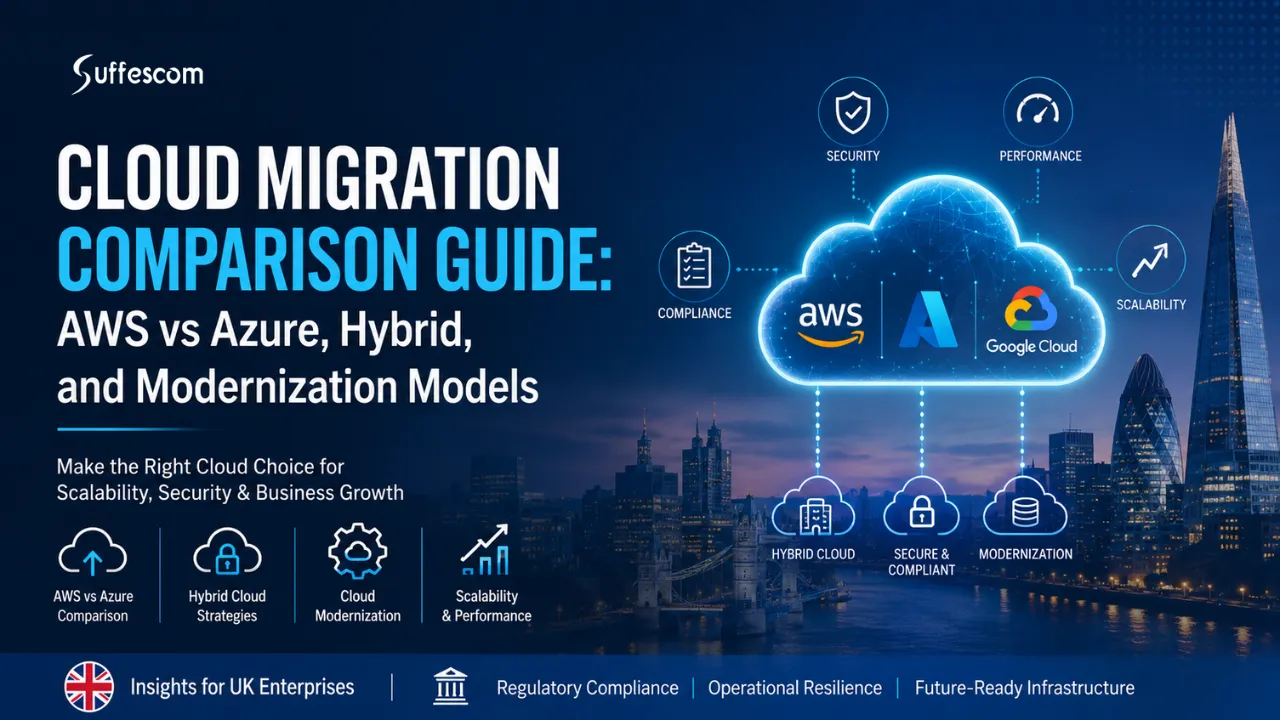
With the rapid adoption of automation and AI, and given the stringent GDPR requirements, the IT industry is rapidly moving towards cloud migration. These are not the only reasons driving this shift. Data sovereignty and security considerations also play into this decision in the same way. But choosing the right approach to clouds can be a difficult task since there is no one-size-fits-all solution.
If you are also planning to migrate your business to the cloud, then this guide will answer all your questions regarding this process, such as:
- How to choose between AWS and Azure?
- Should you adopt a hybrid model or full-scale cloud migration?
- The difference between modernisation and migration.
- Cost, compliance, and architecture decisions and more.
So, let’s get started!
Key Takeaways
- Cloud migration should be based on business considerations, compliance issues, and the overall growth strategy.
- Each of the migration models, whether it is AWS, Azure, hybrid cloud, or multi-cloud, comes with its own benefits and drawbacks.
- The choice of the migration model (whether to choose rehost, replatform, refactor, or rebuild) has an impact on the cost-efficiency of the process.
- In some cases, cloud migration and modernisation should not be regarded as separate decisions.
- The cloud migration costs have more to do with architecture, governance, optimisation, and the migration process rather than the specific provider.
- Security, compliance, scalability, and automation are important from the very beginning, as they influence the process itself.
AWS vs Azure Cloud Migration Overview
The selection of the cloud platform is the first step for cloud migration initiatives. This decision for most businesses in the UK will be made between AWS and Azure, as they both have enterprise infrastructure, migration capabilities, security options, and cloud services across the globe. Nevertheless, their pros may differ based on certain business needs.
AWS Cloud Migration Overview
The use of AWS is common among enterprises that seek out cloud-based infrastructures, development, and global scalability. This is due to the provision of several services by AWS that enable application migration, modernisation of infrastructure, analytics, and containerisation.
Migration services offered by AWS include Migration Hub, which helps track migration activities, Database Migration Service (DMS) for migrating databases and Application Migration Service (MGN) that facilitates server migration.
Cloud-native architectures are a key consideration among those enterprises opting for AWS because of its services like Lambda, EKS and ECS.
Read Also: AWS Cloud Migration Guide: Strategy, Costs, Tools & Best Practices for Enterprises
Azure Cloud Migration Overview
Azure has been widely embraced in organisations that have been using Microsoft technology platforms, needing high levels of integration with other processes within their organisation. This has been one of the main factors that have contributed to widespread adoption within governmental institutions, banks, and enterprises utilising Microsoft solutions.
Azure offers seamless integration with platforms like Active Directory, Windows Server, and Microsoft solutions. This makes it easy for organisations that are already using the Microsoft technology platform to adopt Azure.
Azure can also be easily used to build a hybrid cloud computing system using Azure Arc and Azure Stack.
AWS vs Azure UK Comparison Table
| Factor | AWS | Azure |
| UK Enterprise Adoption | High | Very High |
| Hybrid Capability | Moderate | Strong |
| Compliance Tooling | Strong | Stronger enterprise integration |
| Migration Tools | AWS MGN | Azure Migrate |
| Learning Curve | Moderate | Easier for Microsoft users |
These platforms offer enterprise-level cloud services, but the decision will depend on a number of factors, including infrastructure needs, compliance issues, technology investments, and future plans. Businesses wanting a deeper platform comparison can read AWS vs Azure Cloud Migration: Which Is Better?
Not sure whether AWS, Azure, or hybrid is right for your business?
Cloud Migration Strategy Models (Core Architecture Decision Layer)
Migration strategy selection for businesses in the UK may be more significant than the choice of the cloud provider.
Rehost (Lift and Shift)
Rehost migration involves moving applications onto cloud infrastructure with minimal changes to the application. This is also known as lift-and-shift migration. This is considered the fastest method for migration because companies do not need to make radical changes to the system architecture. One of the reasons why organisations choose to adopt this strategy is due to the ease of migrating legacy systems to the cloud.
Replatform (Optimisation during Migration)
The replatforming migration strategy refers to improving applications while transferring them to the cloud infrastructure. Rather than transferring existing applications, companies may shift to managed databases, managed storage, or managed services. In doing so, businesses can achieve optimisation without completely redesigning applications.
Refactor (Cloud-Native Transformation)
When refactoring applications, the process of reorganising applications to adopt new cloud-based technologies occurs. Typically, this involves adopting such technologies as microservices, containers (Kubernetes), serverless solutions, etc. Organisations usually prefer refactoring strategies when they prioritise scalability and other aspects.
Rebuild (Full Modern Architecture)
In rebuilding, businesses replace current systems with new architecture designs specifically designed for cloud systems. The reason for choosing this strategy is that legacy applications pose certain limitations for businesses.
Migration Strategy Comparison Table
The table below compares the key differences between rehosting, refactoring, and rebuilding across speed, costs, complexity, and expected returns.
| Strategy | Speed | Cost | Complexity | ROI |
| Rehost | High | Low | Low | Low |
| Replatform | Medium | Medium | Medium | Medium |
| Refactor | Low | High | High | High |
| Rebuild | Very Low | Very High | Very High | Maximum |
Hybrid Cloud vs Full Cloud Migration
All companies in the UK do not necessarily migrate all of their systems into cloud computing through one process alone. The company needs to consider whether it is going to integrate its existing systems with the cloud computing systems or migrate its entire system to cloud computing systems.
What is Hybrid Cloud?
The hybrid cloud deployment model employs both on-premise architecture and cloud architecture for the purpose of allowing organisations to implement their workloads in both environments.
The use of the hybrid cloud model is quite common in industries that involve strict regulations because, in such industries, companies can choose to run their critical processes via on-premise architecture.
What is Full Cloud Migration?
For a total cloud migration, the migration of the infrastructure, application, and load is done on cloud platforms such as AWS or Azure.
Organisations using this approach normally opt for it due to a number of reasons, including the need for scalability, ease of managing their infrastructure, and short deployment times. Organisations that use the complete enterprise cloud migration approach usually have the aim of reducing their reliance on physical infrastructure.
Hybrid Cloud vs Full Cloud Comparison Table
| Factor | Hybrid Cloud | Full Cloud |
| GDPR Compliance | Excellent | Strong |
| Flexibility | High | Very High |
| Cost Efficiency | Medium | High |
| Complexity | Medium | High |
Hybrid cloud will be better suited to companies with compliance concerns and older systems, whereas full cloud migration may prove more advantageous once a company is prepared to invest in bigger infrastructure.
Your cloud strategy should fit your business, not the other way around.
Cloud Migration vs Cloud Modernisation
Cloud migration and cloud modernisation are frequently used interchangeably, although they are quite different from each other. The difference between cloud migration and cloud modernisation is in their goals, cost, complexity, and implications.
Cloud Migration
Cloud migration involves migrating apps, workload, and the entire infrastructure into the cloud, without undergoing any transformational changes.
There may be instances where a company might want to undertake cloud migration as an approach for rapid migration into the cloud, cost savings related to IT infrastructure, and scalability.
Cloud Modernization
In the case of cloud modernisation, companies aim to modify and redesign their applications and infrastructures according to modern standards and new technologies.
This process may include restructuring the system, utilising microservices architecture, automation enhancement, and implementation of DevOps methodologies. Companies tend to modernise when their applications prevent further scaling or innovations.
Cloud Migration vs Cloud Modernisation Comparison Table
| Aspect | Migration | Modernisation |
| Objective | Relocation | Transformation |
| Risk | Low | Medium–High |
| ROI | Short-term | Long-term |
| Tech Stack | Lift & shift | Microservices, DevOps |
For many organisations, this is not necessarily a migration vs modernisation decision. Sometimes they combine both approaches by migrating workloads first and modernising systems gradually over time rather than attempting complete transformation immediately.
On-Premise Versus Cloud Infrastructure
When organisations consider cloud implementations, they evaluate both options so as to be able to ascertain cloud migration costs and other considerations involved in each type of infrastructure setup over time. While on-premises infrastructures are still utilised in hosting different corporate applications, the need for enhanced scalability and easy management drives organisations towards cloud infrastructure.
On-Premise Systems
On-premise infrastructure includes managing physical servers, storage, network devices, and other related equipment. The reason why many organisations still employ on-premise infrastructure lies in legacy infrastructure, compliance issues, or existing technology investments. Nonetheless, managing physical infrastructure tends to be more expensive and less flexible.
Cloud Infrastructure
With cloud infrastructure, companies get an opportunity to utilise computing capabilities without worrying about managing physical hardware. The main reasons why organisations prefer to use cloud environments are improved scalability.
On-Premise vs Cloud Comparison Table
The table below highlights the differences between on-premise and cloud infrastructure across key business and operational factors.
| Factor | On-Premise | Cloud |
| Cost Model | CapEx | OpEx |
| Scalability | Limited | Elastic |
| Security Updates | Manual | Automated |
| Deployment Speed | Slow | Fast |
Hybrid & Multi-Cloud Strategy in UK Enterprises
UK businesses are increasingly opting for hybrid and multi-cloud architectures as opposed to sticking to just one type of architecture.
Why Are UK Businesses Opting for Hybrid Cloud Architecture?
Many companies in the United Kingdom choose a hybrid approach due to the difficulty of moving everything into the cloud at once. This happens for the following reasons:
- Some applications and systems simply cannot be migrated instantly.
- There might be more restrictions for regulated industries.
- Certain companies might want more governance over their systems and health care data.
- The company may have some obligations towards its data due to being in the finance sector.
- A hybrid environment gives organisations the ability to bring in modern technologies without abandoning their legacy systems.
Multi-Cloud Strategy Benefits
The adoption of multi-cloud involves leveraging the resources of various cloud vendors rather than relying only on a single vendor. The reasons why organisations opt for multi-cloud include the following:
- It lessens the dependency on a single vendor and hence minimises the chances of vendor lock-in.
- Increases the level of resilience and business continuity.
- Enables businesses to choose the right cloud service based on their needs.
- Enables compliance issues where certain workloads need to be in different environments.
- Can optimise costs based on providers’ usage for particular workloads.
- Helps manage specialised workloads better.
In today’s time, many organisations have a combination of hybrid and multi-cloud.
AWS vs Azure Cost Comparison
The complexity of cloud pricing makes comparisons difficult, since infrastructure costs depend on workload volume, workload type, license costs, and commitments the business may have made over time. Instead of considering which service provider is cheaper, the emphasis should be on cost efficiency and long-term value.
AWS Pricing Structure
AWS mainly uses a pay-for-what-you-use pricing model, in which organisations only pay for the resources they use. The main features are as follows:
- Payment based on actual infrastructure utilisation.
- Scaling possible without making huge investments.
- It is ideal for organisations that face uncertain demands.
- Cost estimation may not be easy in some cases.
- Use of Reserved Instances can minimise infrastructure expenses.
- Using Savings Plans can give you discounts.
Azure Pricing Model
Azure also uses the consumption-based model and has other benefits that organisations can enjoy if they already have experience using Microsoft products. Typical benefits of Azure pricing include:
- Consumption-based pricing makes it easier for organisations to grow their use of the infrastructure.
- Enterprise agreements offer bulk pricing for large organisations.
- Hybrid Benefit Licensing enables organisations to make use of existing licenses.
- Organisations already utilising Microsoft products could lower migration costs due to licensing perks.
- Commercial arrangements can help organisations negotiate flexible pricing terms.
- Usually favourable to organisations using Microsoft products.
AWS vs Azure Cost Comparison Table
| Cost Factor | AWS | Azure |
| Predictability | Medium | High |
| Enterprise Discounts | Moderate | Strong |
| Hybrid Savings | Limited | Strong |
In practice, cloud costs are often influenced more by architecture decisions, workload optimisation, and governance practices than by the cloud provider itself.
Security, Compliance & GDPR Requirements
Security and compliance are significant aspects that need to be considered during cloud migration for those companies working in regulated fields. In regard to these, both Amazon Web Services and Microsoft Azure offer secure services and solutions, but it is up to individual organisations how to configure, manage, and govern their cloud environments.
AWS Security Model
AWS offers different security services that enable businesses to control access, encryption, and security of infrastructure in the cloud environment.
The most popular among these include IAM for managing identity and access, and KMS for managing encryption keys. Additionally, AWS has a shared responsibility model, according to which AWS secures cloud infrastructure while businesses secure workloads, applications, and data in the cloud environment.
Azure Security Framework
Azure offers various security solutions to help companies achieve cloud governance, threat detection, and compliance management.
With services like Microsoft Defender for Cloud, companies can monitor their security state and possible threats. Azure also includes compliance and governance features that could assist in managing security measures in a complex environment.
UK Industry Requirements
For cloud migration initiatives conducted in regulated industries, additional industry-specific requirements must also be considered aside from security controls.
If the company processes any personal data, it needs to adhere to UK GDPR requirements on data protection and governance. In addition, if it works with finances, it needs to follow other financial regulation requirements. If it involves the health sector, it has to ensure that the cloud supports strict requirements on data protection. Planning of security, compliance, and governance measures should therefore go hand in hand with cloud migration plans.
Not every workload requires the same migration approach. Choose the right model.
Performance, Scalability & Global Cloud Infrastructure
The performance and scalability challenges become highly critical during the migration process to the cloud environment because they affect overall performance and scalability. Nevertheless, on the other side, the AWS and Azure architectures are at the same level as enterprises and may be better adapted to some requirements.
Infrastructure Strength at AWS
The ability to use a massive global infrastructure that allows deploying workloads across multiple geographic locations and availability zones is one of the major strengths of choosing AWS as the platform from the perspective of infrastructure capabilities.
This makes AWS a great choice for those organisations requiring global scalability, availability, disaster recovery, and deploying cloud-native workloads.
Infrastructure Strength at Azure
The Azure platform is commonly used among enterprises where there is a need for efficient connections between the current infrastructure and cloud platforms.
In such cases, hybrid workload optimisation and enterprise integration become the strengths of Azure usage.
AWS vs Azure Infrastructure Comparison Table
| Factor | AWS | Azure |
| Global Coverage | Higher | High |
| Enterprise Scaling | Excellent | Excellent |
| Hybrid Performance | Strong | Stronger |
For most enterprises, performance outcomes depend not only on cloud providers but also on workload design, architecture decisions, and how infrastructure is configured after migration.
Industry Use Cases
The adoption trends for cloud technologies will differ by industry, as different compliance needs, legacy infrastructure considerations, scalability demands, and business requirements can make some trends more suitable than others.
Even though organisations might leverage both Azure and AWS for their projects, there are specific trends that are more likely in the context of the UK enterprise landscape.
Banking & Financial Services
Organisations in banking and financial services operate within heavily regulated markets, where security and compliance issues become a top priority when adopting any kind of cloud technology.
Azure tends to be leveraged for projects that require greater integration with enterprise and regulated ecosystems, while AWS becomes popular for analytics applications, AI deployments, and large-scale data processing.
Government & Public Sector
Government entities tend to embrace a hybrid-first approach, since not all workloads can be transitioned to public cloud instantly.
Healthcare (NHS)
There is a clear need for better control around sensitive data in these healthcare organisations, their governance, and the placement of data.
Consequently, there is an increasing trend of using hybrid cloud models that cater to both data sovereignty needs and infrastructure already established, alongside other digital services.
Retail & E-commerce
Businesses in the retail industry may focus more on scalability and customer experience.
Amazon Web Services (AWS) is used when there is a need for quick scalability and high traffic levels, whereas Azure is chosen when there is a need for close integration with enterprise-level services like ERPs.
Cloud Migration Cost Optimisation and FinOps Strategy
Just because you move your workloads to the cloud doesn’t mean that it will make them cheaper. Many companies actually spend more on migrating to the cloud, as there is a constant need for monitoring, governing, and optimising cloud infrastructures.
Why Cloud Costs Escalate
Cloud spending will typically go up because of a lack of proper planning and resource management.
Some of the common causes are:
- Compute overprovisioning where the compute resources exceed the needs.
- Running unnecessary infrastructure resources without adding any value to the business.
- Lack of governance policies to manage resource usage.
- Inability to see workloads across various cloud environments.
- Unregulated scaling results in infrastructure costs.
- Ineffective cost monitoring across teams.
FinOps Framework in Cloud Migration
FinOps enables companies to build financial responsibility and enhance cloud efficiencies.
Some key FinOps principles are:
- Increased cost visibility around workloads and organisational units.
- Budgeting and limiting the spending levels.
- Continuous monitoring of cloud utilisation compared to periodic monitoring.
- Optimising through an optimisation loop process to reduce inefficiencies.
- Collaboration between the finance, engineering, and operations teams.
- Infrastructure decisions based on usage data.
AWS vs Azure Cost Management Tools
Both cloud providers offer built-in cost optimisation tools to help businesses monitor and control spending.
| Capability | AWS | Azure |
| Cost Tracking | Cost Explorer | Cost Management |
| Budget Alerts | Yes | Yes |
| Savings Models | Savings Plans | Reservations |
| Resource Optimisation | Trusted Advisor | Advisor Recommendations |
| Usage Monitoring | CloudWatch Integration | Azure Monitor Integration |
Read Also: AWS vs Azure Cloud Migration Cost
Cloud Migration Tools & Automation Ecosystem
Cloud migration is a process that normally involves multiple applications, databases, servers, and dependencies. Using migration tools and frameworks is aimed at helping companies become efficient during their cloud migration process.
Common AWS Migration Tools
The following are common AWS services for migration purposes:
- The Application Migration Service (MGN) assists businesses in migrating their physical, virtual, or cloud servers.
- The Database Migration Service (DMS) allows for database migrations without any interruptions.
- Migration Hub serves as an umbrella for monitoring migration efforts.
- Discover tools enable businesses to analyse their workload before migration.
- Migration services aid in both lifting and shifting and cloud native migrations.
- Commonly used when enterprises undergo big migration exercises.
When AWS Migration Tools Are Commonly Used
Organisations use AWS migration tools for the following reasons:
- Migration of huge infrastructure deployments.
- Renovation of legacy applications.
- Migration of servers and databases.
- Reducing migration downtime and risk factors.
- Executing cloud transformation projects.
Migration Tools for Azure
Microsoft Azure provides many different migration tools that can be used in assessments, migration plans, disaster recovery, and hybrid cloud management.
Some popular Azure migration services include:
- Azure Migrate is used for workload assessment and migration management.
- Azure Site Recovery assists in business continuity planning.
- Azure Arc helps in setting up hybrid and multi-cloud infrastructures.
- Workload assessment tools enable businesses to determine whether the workloads can be moved without any problem.
- Migration services offer assistance with server, database, virtual machine, and application migration.
- These tools play an important role in hybrid cloud management.
When Azure Migration Tools Are Commonly Used
The following circumstances lead to the adoption of Azure migration tools by organisations:
- Assessing their infrastructure before performing the migration.
- Implementing hybrid clouds.
- Enhancing disaster recovery processes.
- Performing migrations for workloads already associated with Microsoft platforms.
- Managing distributed environments.
Automation and DevOps Implementation
The need for automation has become vital due to the frequent use of repetitive infrastructure operations during enterprise migrations within large-scale deployment environments.
How Automation Supports Cloud Migration
The reasons behind the use of automation by most enterprises include:
- Reducing infrastructure operations manually.
- Achieving consistency in deployments.
- Speeding up migrations.
- Preventing operational mistakes in migration processes.
- Deploying at scale in large environments.
- Automation Techniques Used
Common DevOps and Automation Practices
- Implementing Infrastructure as Code (IaC) deployments.
- Deployment of infrastructures with Terraform scripts.
- Azure infrastructures deployments with ARM templates.
- Implementing continuous integration and delivery pipelines.
- Minimising human effort with automated workflows.
- Continuous migration process implementations.
Migration Tools Comparison Table
| Category | AWS | Azure |
| Server Migration | AWS MGN | Azure Migrate |
| Database Migration | AWS DMS | Azure Database Migration |
| Hybrid Management | Limited | Strong (Azure Arc) |
How to decide between AWS, Azure, and Hybrid
Cloud solutions are unique to each company, and there isn’t a single approach that is best for all companies. It all depends on your existing IT systems, regulatory requirements, objectives, technology skills, and future growth.
AWS
AWS can be an appropriate choice whenever organisations need a huge infrastructure, a fast innovation cycle, or cloud native development.
Consider using AWS when:
- When you need to use a global scale and a huge infrastructure
- You create new applications natively in a cloud environment
- When you need advanced analytics, automation, or AI services
- When you need flexibility for your growing workloads
Azure
Azure is often chosen by organisations that already work in Microsoft ecosystems or deal with complex enterprise environments.
Consider using Azure when:
- You are strongly connected with Microsoft technologies and enterprise applications
- You need better hybrid cloud support
- You operate in regulated industries
When you need better synergy between your existing infrastructure and cloud services
Hybrid Cloud
Hybrid cloud solutions are chosen by organisations that cannot move all their workloads into cloud environments at once.
Consider using a hybrid cloud when:
- When you have to comply with a certain regulation
- When you have considerable legacy infrastructure that is difficult to replace quickly
- When you need the gradual modernisation of your infrastructure
- When you need better control over your workloads and data placement
The best strategies for the implementation of cloud solutions are based on the needs of the organisation.
Conclusion
The process of transferring data or migrating a system from one platform to another is history. In today’s world, cloud migration has emerged as an important strategy for firms based in the UK due to various reasons like scalability, security, compliance, etc.
Which platform shall I choose, AWS, Azure, Hybrid Cloud, or Multi-cloud? Which considerations need to be made when taking a call on migrating/modernising? This depends totally on how far along your system is, considering your business requirements, compliance, etc. Cloud migration is always more of a business decision, rather than a technological/governance decision.
The best cloud strategy is the one built around your business requirements.
FAQs
1. What is cloud migration in simple terms?
Cloud migration refers to the transition of computing resources and services from legacy environments to the cloud. This is usually done to boost the scalability. Plus, it requires less infrastructure management. On top of all of that, it increases the security.
2. Which is better in the UK: AWS or Azure?
AWS does not have an edge over Azure. It depends on the business requirements. AWS has been favoured owing to its cloud framework, while Azure has been favoured due to the companies having a Microsoft technology framework.
3. What is hybrid cloud architecture?
It combines both on-premises infrastructure and cloud infrastructure. This way, it allows companies to perform workloads on both infrastructures while still allowing gradual modernisation.
4. What are cloud migration strategies?
Cloud Migration Strategies are techniques used for migrating workloads to the cloud. The most popular strategies are:
Rehosting
- Replatforming
- Refactoring
- Rebuilding
Many cloud migration strategies UK businesses adopt are greatly influenced by workload and existing infrastructure.
5. What is lift and shift migration?
Lift and shift migration involves moving an app to a cloud platform without making any changes to it. It is considered quick as it can be done easily.
6. What is cloud modernisation?
A company going for cloud modernisation means that they refactor or redesign their apps and infrastructure to adapt to cloud-native capabilities. This can include the following:
- Automation
- Microservices
- Containerization
7. Is AWS cheaper than Azure in the UK?
AWS is not necessarily less expensive than Azure. Because the cost of using cloud computing services depends on various aspects, such as:
- Workload
- Infrastructure
- Licensing
Sometimes, optimisation measures may matter more than the cloud service provider used.
8. What cloud is used by the UK government?
The UK government agencies do not have to stick with one cloud service, but rather use several cloud services at once. Multi-cloud and hybrid cloud computing can be used, too, depending on certain circumstances.
9. What is GDPR in cloud computing?
GDPR in cloud computing relates to the problems that are associated with the collection, processing, and storage of personal information in cloud computing systems. Organisations that utilise cloud computing systems are required to maintain the security of their data in compliance with the applicable laws.
10. What is a multi-cloud strategy?
Multi-cloud means the utilisation of services from multiple providers rather than only one. Multi-cloud implementation ensures that organisations can prevent vendor lock-in situations.
11. Can AWS and Azure be used together?
Yes, you can have AWS and Azure at once. It is a multi-cloud strategy that often exists in organisations having different workloads provided by different cloud vendors.
12. What are the risks of cloud migration?
Migrating into the cloud can have associated risks like possible loss of service, possible security risks, unplanned expenses, lack of planning itself, and even issues with regulatory compliance. Effective governance and planning should definitely help avoid these risks.
13. How long does cloud migration take?
The time taken to migrate data into the cloud depends on various factors, such as:
- The size of the workload
- The complexity of the architecture
While small migrations might take a few weeks, migrations within enterprises may take months and sometimes even more than that.
14. What is a cloud landing zone?
A cloud landing zone is a cloud environment configured to support security, governance, networking, and operational requirements prior to migration.
15. What tools are used for migration?
Migration tools are often used by businesses and include:
- AWS Migration Hub
- AWS MGN
- Azure Migrate
- Database migration tools
- Automation tools
- Infrastructure management tools
16. Which industries use hybrid cloud in the UK?
Hybrid Cloud is extremely popular among regulated industries such as healthcare, financial organisations, government entities, and firms that have legacy infrastructure.
17. What is FinOps in cloud computing?
FinOps means an approach to operations where an attempt is made to manage the expenses related to cloud computing and improve them.
18. What is the best cloud migration strategy?
The appropriate cloud migration technique varies depending on business needs, existing infrastructure, compliance policies, budgets, and modernisation considerations. A lot of companies apply different migration techniques instead of choosing only one.

Senior Content Strategist
Jonathan Raabe is the Content Strategist at Suffescom Solutions and has more than 7 years of experience in developing data-driven content strategies for technology-centric organizations. He is proficient in the areas of mobile app development, software development, AI, cloud computing, fintech, healthcare, and digital transformation. Jonathan collaborates with industry leaders, developers, and business heads in creating high-value, SEO-optimized content that helps companies in increasing their visibility on the search engines, establishing trust, and driving business inquiries.
Need Help With
Development?