Adoption of cloud computing is booming in UK enterprises, but there’s a catch: a dilemma for many businesses over whether to keep their old systems, move to the cloud, or redesign them entirely. The urgency behind this decision is growing as the UK cloud computing market is projected to reach USD 135.64 billion by 2031. It shows the increasing reliance on cloud technologies in various industries. When it comes to the regulated areas of banking, health care, the public sector, and fintech, analysis is of utmost importance. Rising infrastructure costs, technological changes, growth in AI, and regulatory compliance requirements will force a rethink anyway. But there’s another flaw: the view that cloud migration is the same as modernisation.
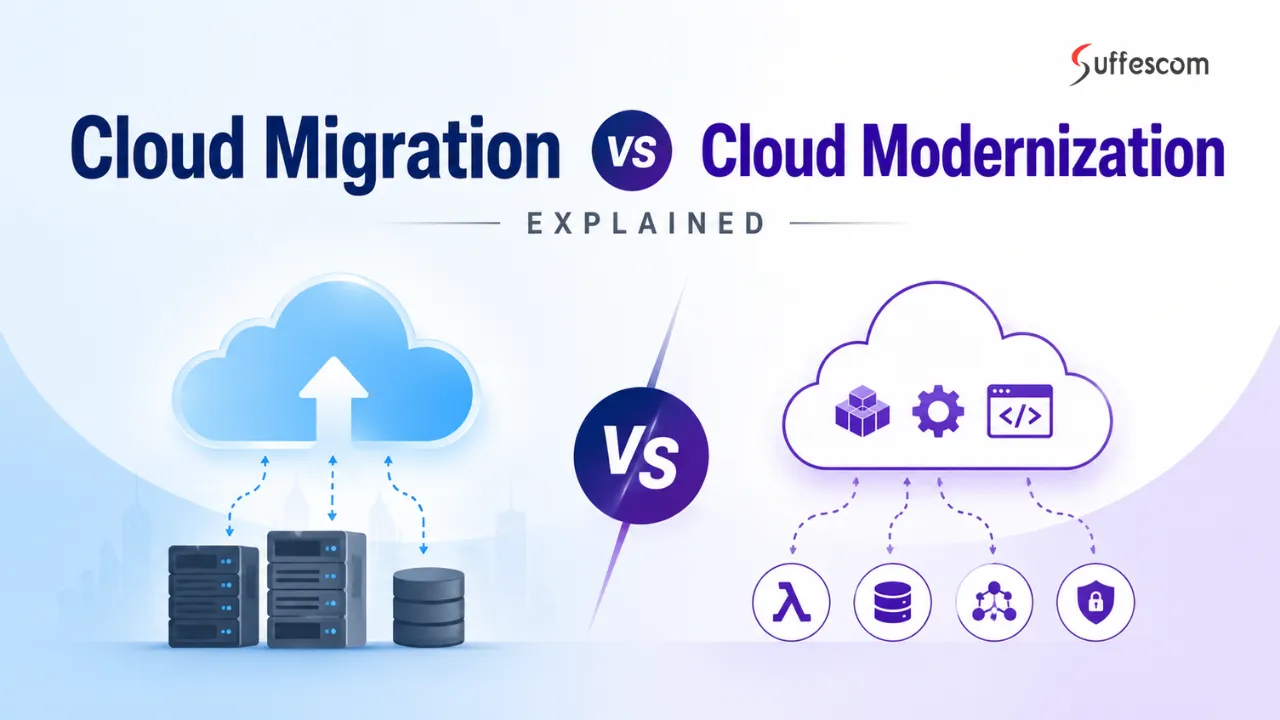
Moving to the cloud generally means migrating apps, infrastructure and data with few or no changes. However, modernising implies re-architecting all the existing infrastructure using native cloud components in order to increase scalability and performance.
This guide breaks down cloud migration versus cloud modernisation from a UK enterprise viewpoint. You’ll get the lowdown on how each approach works, their cost comparisons, performance differences, and how security and compliance shape choices. Plus, it covers when companies should opt for migration, modernisation, or a blend of the two.
It’s perfect whether you’re planning an enterprise cloud shift, reviewing legacy systems, or crafting a cloud strategy for the future. Knowing these differences is key to smart investing.
Key Takeaways
- Cloud migration focuses on migrating workloads into the cloud, while cloud modernisation involves re-architecture of systems through cloud-native technologies.
- Migration generally has a shorter implementation time and lower upfront cost, whereas modernisation increases long-term scalability and operational efficiency.
- Cloud migration doesn’t guarantee improved performance of applications, because legacy system limitations might still cause issues.
- Security, compliance, technical debt and business requirements will decide what approach is better.
- Most companies achieve the best results by addressing them in parallel, instead of as separate strategies.
What is Cloud Migration?
Cloud migration moves apps, databases, and data from local servers to the cloud without major changes. Companies aim to boost flexibility and cut down on hardware reliance, not to redo their entire setup. So, it’s basically about relocating everything smoothly. It helps them scale more easily, recover from disasters faster, and maintain what they’ve moved while cutting maintenance costs. Still, everything continues to function just like it did previously.
Types of Cloud Migration
Cloud migration comes in different shapes based on what businesses want to achieve, their budgets, and how complex the tech stuff is.
Rehosting
First up is rehosting, sometimes known as a lift-and-shift migration. This means apps or infrastructure go to the cloud with barely any tweaks to the current setup. Companies often do this when they need quicker migration, lower risks, or just better infrastructure right away, no major revamps required.
Replatforming
Next is replatforming. Here, you tweak apps a bit during migration to take advantage of cloud features but avoid a complete redo of your systems. Think about moving databases to managed services or implementing basic cloud automations.
Partial Migration
Then there’s partial migration, where only certain workloads get moved, not everything. Lots of big companies choose this route when rules, old systems, or how things operate complicate full migrations.
Data Migration
Lastly, there’s data migration alone. It’s simply about shifting databases and info into the cloud for storage, leaving the apps where they are. This choice is perfect for people who want backups, improved analytics, or simpler storage without switching their apps. So, these options allow firms to pick what best suits their needs, speed, cost savings, or sticking with what already works.
Key Characteristics of Cloud Migration
Though migration strategies differ, most cloud migration projects still share some common traits.
Focuses primarily on relocation rather than redesign
Cloud migration aims to move workloads into cloud environments while maintaining existing application structures wherever possible.
Typically offers faster implementation timelines.
Because applications are not extensively rebuilt, migration projects can usually be completed faster than full transformation initiatives.
Requires lower upfront engineering investment
Migration projects generally demand fewer development resources compared to rebuilding applications using cloud-native architectures.
Preserves existing business processes
Many organizations choose migration because employees, operational workflows, and existing systems can continue functioning with minimal disruption.
Creates a foundation for future modernisation
Migration does not necessarily replace modernisation. Many enterprises migrate workloads first and modernise applications gradually over time.
Not sure whether your business needs migration, modernisation, or both?
Start with a cloud strategy assessment built around your goals.
What is Cloud Modernisation?
Cloud modernisation is about upgrading the system, which basically includes apps and infrastructure. Through this, one can leverage new cloud technologies and designs. It isn’t just about moving everything to the cloud, but also about completely overhauling everything.
Unlike migration, which focuses solely on relocation, modernisation improves performance to enable smoother, more adaptable long-term operations.
Firms typically consider modernisation when their current systems become more trouble than they’re worth. Old setups can hamper innovation. It can delay product launches, increase costs, or become too complex to manage.
To tackle these problems, businesses might rebuild parts of their apps. They integrate automation, tweak deployment processes, rethink their entire infrastructures, and adopt cloud-friendly development practices.
Core Components of Cloud Modernisation
Cloud modernisation uses several technologies and design methods, not just one setup model. So it’s about mixing things for better flexibility and options.
Microservices Architecture
Microservices architecture breaks large apps into tiny, separate services for dev and deployment. This way, teams can fix or change parts without bothering the rest. Plus, it amps up reliability and speeds up deployments, making it really useful.
Containerisation
Containerisation packages apps and their dependencies for smooth runs on various infrastructures. Tech such as Kubernetes then automates those tasks, handling deployments and workload management. This helps firms conserve resources while moving apps around easily. So, they can work more efficiently across different environments.
Serverless Computing
Serverless computing lets organisations run workloads without managing infrastructure directly. They can cut costs and simplify things since apps scale with demand. It’s great for event-driven tasks, APIs, automated workflows, and backends that need to scale. This way, developers focus on coding, not servers.
API First Design
API-first design means creating apps with their interfaces built first, to help different systems communicate smoothly. This approach eases integration, speeds up development, and increases flexibility for the digital age. Teams can thus move faster and exchange information more efficiently.
Cloud Migration vs Cloud Modernisation
Though cloud migration and modernisation usually go together, they tackle different problems. Migration mainly moves existing tasks to the cloud with minimal fuss, while modernisation revamps applications and infrastructure for better performance down the line. The easiest way to understand this? Migration changes where systems run, but modernisation changes how they operate. Here’s a table outlining their key differences.
| Factor | Cloud Migration | Cloud Modernisation |
| Primary Objective | Move workloads to cloud environments | Transform applications and systems for cloud-native operations |
| Architecture Changes | Minimal modifications | Significant redesign and restructuring |
| Implementation Timeframe | Short to medium-term projects | Medium to long-term transformation initiatives |
| Upfront Investment | Lower upfront costs | Higher upfront engineering and implementation costs |
| Return on Investment (ROI) | Faster short-term benefits | Greater long-term operational benefits |
| Risk Level | Lower to moderate implementation risk | Moderate to higher transformation risk |
| Business Disruption | Usually, lower operational disruption | May require larger organisational changes |
| Engineering Effort | Lower development effort | Higher technical complexity and development effort |
| Scalability Potential | Depends on existing architecture | Optimised for long-term scalability |
| Best Suited For | Faster cloud adoption and infrastructure improvement | Long-term digital transformation and innovation |
In practice, enterprises rarely see migration and modernisation as completely separate decisions.
Organisations often start by migrating to ease infrastructure issues and then slowly update their workloads over time. This gradual method lets companies manage costs, risks, how fast things get implemented, and their big picture goals better.
What works best depends on business priorities, existing tech debts, rules they must follow, how much money they’ve got, and where they see themselves in the future.
Cost Comparison: Migration vs Modernisation
Costs often drive choices about cloud strategies. However, focusing solely on immediate expenses when picking between migration and modernisation can be off the mark. Migration to the cloud usually costs less upfront because companies only make small changes to their workload. Modernisation requires a bigger budget right away, though, as it calls for extensive updates to applications and infrastructure.
That said, just because migration starts cheaper doesn’t mean it always will be. When deciding, businesses take into account implementation fees, how well they can run operations, maintenance, scalability advantages, and future returns on investment, not just initial costs.
Cloud Migration Cost Structure
Cloud migration projects usually concentrate on spending on infrastructure movement, platform setup, and workload relocation.
Common cost components include:
Infrastructure transfer costs
Migration projects often involve moving applications, databases, storage systems, virtual machines, and workloads into cloud environments, creating infrastructure migration costs and potential licensing expenses.
Minimal application redesign costs
Because migration generally focuses on relocation rather than rebuilding applications, engineering effort is usually lower compared to transformation projects.
Lower engineering investment
Migration projects typically require fewer development resources because existing systems continue operating with limited modifications.
Temporary dual-environment costs
Many enterprises temporarily maintain both on-premise and cloud environments during migration phases, increasing short-term operational expenses.
Cloud Modernisation Cost Structure
Cloud modernisation projects typically involve a larger investment because systems are redesigned rather than simply relocated.
Common cost components include:
Application re-architecture costs
In modernisation, it is required to rebuild the components or redesign the apps. It also involves restructuring the databases and introducing new architecture patterns.
DevOps, automation, and CI/CD implementation
Modern systems often need automation pipelines and deployment tooling. They also need monitoring systems.
Higher engineering and specialist investment
Cloud-native transformation projects often require experienced architects, platform engineers, developers, security specialists, and operational teams.
Long-term optimisation investment
Modernisation projects invest heavily upfront with the expectation that improved scalability, automation, and operational efficiency will reduce costs over time.
Cost Comparison Table
| Cost Factor | Cloud Migration | Cloud Modernisation |
| Upfront Investment | Lower implementation costs | Higher transformation costs |
| Infrastructure Costs | Moderate infrastructure spending | Higher initial infrastructure redesign costs |
| Engineering Investment | Lower development effort | Higher technical and engineering requirements |
| Operational Costs | Medium-long-term operational costs | Lower long-term operational overhead |
| Maintenance Costs | Moderate due to legacy dependencies | Lower because of modern architectures and automation |
| Scalability Costs | May increase as workloads grow | Usually more efficient at scale |
| ROI Timeline | Short-term returns | Longer-term returns with larger potential gains |
The most cost-effective choice isn’t always the cheapest one.
For orgs that need fast cloud adoption, migration makes more sense financially. But for those aiming for the long haul, modernisation offers more value in the long run. It boosts scalability, automation, AI readiness, and overall efficiency, even if it costs more up front.
Planning cloud migration but unsure about cost, risk, or platform selection?
Get expert guidance before moving workloads.
Performance & Scalability Comparison
Companies think going to the cloud will speed things up and simplify everything. Yet, the results aren’t uniform. While cloud migration can increase flexibility and access to resources, outdated apps only get a minor performance boost.
The real improvement comes from modernising apps for the cloud, not just relocating them. This is important because simply moving workloads to the cloud doesn’t fix all the problems.
Migration Performance Outcomes
Cloud migration can deliver operational improvements, but performance gains usually depend heavily on how existing applications were originally designed.
Common migration performance outcomes include:
Limited performance improvement
Moving workloads to the cloud isn’t a magic fix. Even after migration, apps can still struggle if the old systems have lingering issues. So just moving stuff to the cloud doesn’t solve all your problems.
Performance depends on the existing architecture.
Applications designed for traditional infrastructure may not fully utilise cloud capabilities without additional optimisation.
Improved infrastructure flexibility
Although applications may remain unchanged, migration often improves resource allocation, storage scalability, disaster recovery capabilities, and infrastructure management.
Potential infrastructure scaling benefits
Cloud environments may allow organisations to increase compute resources faster compared to traditional infrastructure environments.
Modernisation Performance Outcomes
Cloud modernisation is primarily focused on improving system efficiency and enabling long-term scalability.
Common modernisation outcomes include:
Cloud-native scalability
With modern architecture, systems are allowed to scale resources dynamically. This can be done based on demand. It can improve efficiency during growth or traffic spikes.
Higher availability and resilience
Modernised systems commonly use distributed architectures, automation, redundancy, and fault-tolerant design patterns to reduce downtime.
Improved resource efficiency
Cloud-native applications generally use infrastructure more efficiently through automation, containerisation, and elastic resource allocation.
Better support for continuous optimisation
Modern architectures allow organisations to improve performance continuously rather than relying on large infrastructure upgrades.
Performance Comparison Table
| Factor | Cloud Migration | Cloud Modernisation |
| Scalability | Medium scalability, depending on the architecture | Very high scalability through cloud-native design |
| Performance Optimisation | Limited optimisation without redesign | High optimisation potential |
| Latency Reduction | Moderate improvements | Higher improvements through architecture optimisation |
| Infrastructure Efficiency | Medium efficiency gains | Maximum infrastructure utilisation |
| Availability & Resilience | Improved but dependent on legacy systems | Built for high availability and fault tolerance |
| Elastic Scaling Capability | Limited by application architecture | Strong dynamic scaling capabilities |
| Operational Agility | Moderate improvement | Significant improvement |
Security & Compliance
Security and compliance needs really drive what companies decide about migrating workloads or going all out with modernisation efforts. Both choices can amp up security more than traditional setups, but they tackle risks in different ways. Moving to the cloud usually tightens up infrastructure protection without changing app designs that much. Modernising them gives a chance to rethink systems following new security ideas and using automation and resilience tech.
For UK businesses juggling strict rules, safety often has as big an impact on how they build their system as money or speed concerns do.
Security in Cloud Migration
Although cloud migration is extremely helpful in boosting infrastructure management and security, it does not magically eliminate all the threats. Here are some common concerns that still linger:
Shared responsibility still applies.
Moving workloads into cloud environments does not transfer all security responsibilities to cloud providers. Organisations remain responsible for securing apps. Also, the identities, data, access controls, and configurations, etc.
Legacy vulnerabilities may continue to exist.
Applications moved without redesign may still contain outdated architectures. Similarly, it may include security gaps, technical debt, or operational weaknesses.
Misconfiguration risks remain common.
Cloud migration projects can introduce security risks when identity management, permissions, storage settings, or networking configurations are not properly managed.
Security improvements may primarily occur at the infrastructure level
Migration often improves infrastructure reliability, backup capabilities, monitoring, and disaster recovery without fundamentally changing application security design.
Security in Cloud Modernisation
Cloud modernisation allows organisations to redesign systems with security built directly into architecture decisions.
Common security advantages include:
It allows for zero-trust architectures
Contemporary architectures make identity controls and continuous verification, least privilege models, and siloed workloads feasible.
It allows for built-in cloud native controls.
Continuous monitoring, policy automation, encryption, container controls, automated patching, infrastructure-as-code (IaaS) security, etc., are all controllable in modern applications.
Improved reliability
The design to accommodate distributed architectures and the automation of remediation processes improve the operational reliability of the architecture.
Less operational risk
Increased automation reduces operational risk. The automated security processes reduce human error and ensure consistency across the environment.
UK Compliance Considerations
Security requirements driven by regulation are often a greater determinant of decisions within UK enterprises than technological preferences.
UK GDPR data governance requirements
Data management practices, retention policies, access management controls, processing activities, and data locality are all considerations during cloud strategy design.
Financial services regulations
In regulated financial environments, organisations frequently need stronger governance controls, operational resilience, audit functions, and risk management controls.
Healthcare and public sector requirements
Sensitive data environments require more rigorous access control management, governance, monitoring, and operational resilience.
Operational resilience requirements
The drive to focus on resilience and disaster recovery, business continuity, and risk management has become as prevalent as the desire to maintain security controls.
Migration can typically deliver improvements in infrastructure security much faster than modernisation, while modernisation enables an optimised, planned security design for long-term resilience and compliance.
It is partly for these reasons that most enterprises adopt migration and modernisation approaches in combination rather than as disparate decisions.
Building cloud infrastructure requires the right balance b/w scalability & compliance.
Migration vs Modernisation Strategies in Practice
It isn’t always about the technical decisions involved with migrating or modernising.
Typically, enterprise organisations evaluate cloud strategies looking at their business objectives, budgetary constraints, operational risks, regulatory requirements, technology debt, and plans for growth.
It is what the organisation wants to achieve that is more important than its preference for certain technology.
When to Choose Cloud Migration
Migrations are typically a good fit for organisations seeking immediate infrastructure improvement, quicker deployment time, or minimised disruption. Migrations are often a good choice when:
Time to market needs to be accelerated.
Those businesses in need of a quicker transfer typically favour migrations because they require minimal modification to the existing application and can have the workload transferred quickly.
Budget constraints limit transformation projects.
Migrations are typically less expensive in terms of upfront cost than a redesign.
Legacy systems are too complicated to rebuild.
There can be various reasons that existing systems contain complicated dependencies, lack an adequate infrastructure, and or carry critical business functions which would be hard to redesign.
IT costs need to be lowered immediately.
By choosing to move an infrastructure this way, the organisation’s infrastructure expenses may be offset more rapidly through less hardware to manage, and overall simplified infrastructure operations.
Regulatory or operational risk must remain low.
Those organisations running critical infrastructure or highly sensitive systems will benefit from a slow approach to a large undertaking of a transformational process.
When to Choose Cloud Modernisation
Modernisation is generally better suited for the longer-term transformation as opposed to simply moving data. Modernisation is likely the best solution when:
Digital transformation initiatives demand more agility
Organisations that are committed to using a modern architecture are better equipped to ship updates quickly and adapt to shifting business demands with ease.
Long-term scalability is the end goal.
Many organisations that are undergoing rapid growth are taking advantage of modernisation to preempt any future infrastructure bottlenecks.
Innovation is the competitive advantage.
Many companies are investing in innovation, such as artificial intelligence, automation, analytics, and digital products, and therefore benefit from cloud-native architectures that enable them to move faster than the competition.
Operating complexity is rising.
Technical debt should be managed by modernisation, leading to lower maintenance burdens.
Legacy infrastructure is hampering growth.
Transformation may provide better long-term results for organisations that have infrastructure that is too complex or costly to manage.
Decision Matrix
| Business Need | Recommended Approach |
| Fast deployment and faster cloud adoption | Migration |
| Lower upfront investment | Migration |
| Long-term cost optimisation | Modernisation |
| Existing legacy system dependencies | Migration |
| Scalability and future growth | Modernisation |
| Faster innovation and product delivery | Modernisation |
| Lower implementation risk | Migration |
| AI readiness and digital transformation goals | Modernisation |
AWS vs Azure Role in Migration and Modernisation
The potential offered by cloud platforms is influenced by the factors shaping cloud migration and cloud modernisation.
Even though the platform support is similar in both approaches, businesses examine them from different perspectives according to their existing infrastructure, operations, regulations to adhere to, skillsets, and plans for the future.
The decision is not so much about selecting the best platform but about making sure that a particular platform can fit the priorities of the business.
AWS Capabilities for Migration and Modernisation
Enterprises use AWS in combination with the official AWS platform for several reasons, such as its large infrastructure span, a cutting-edge cloud ecosystem and availability of cloud native toolings.
Migration features of interest include:
Good migration tools
Organisations leverage Migration Hub, DMS, application migration tools, etc. To migrate infrastructure, databases and workloads in minimal operational disruption.
Good infrastructure ecosystem
Extensive computing, networking, storage and managed services support large migrations.
Modernization services
Serverless computing, container orchestration, managed Kubernetes, and cloud-native application services are common in modernisation projects.
Good support for cloud native
Extends to automation capabilities, containerization and microservices-based approaches to build scalable application infrastructure.
Azure Capabilities for Migration and Modernisation
Enterprises select Microsoft cloud services by using the Microsoft Azure official platform, which benefits from the relationship between enterprises and Microsoft, the necessity of hybrid infrastructure, and the integration of the Microsoft environment.
Key migration capabilities include:
Strong hybrid migration support
Azure provides migration services designed for organisations operating mixed environments across on-premise infrastructure and cloud systems.
Enterprise integration advantages
Organisations already using Microsoft infrastructure often benefit from tighter integration across identity management, productivity tools, databases, and enterprise applications.
Hybrid cloud management capabilities
Tools such as Azure Arc and migration services help organisations manage workloads across multiple environments more easily.
Support for modern application development
Azure supports containerisation, automation, DevOps pipelines, serverless computing, and cloud-native development patterns used in modernisation projects.
Which Platform Fits Better?
In practice, platform selection usually depends on organisational requirements rather than platform capabilities alone.
| Business Requirement | Common Preference |
| Existing Microsoft ecosystem | Azure often preferred |
| Large-scale cloud-native deployments | AWS often preferred |
| Hybrid infrastructure requirements | Azure often preferred |
| Extensive cloud service ecosystem | AWS often preferred |
| Enterprise transformation projects | Both are widely used depending on requirements |
Industry Use Cases
The industries have strong industry-specific business drivers, and these have been considered to have an influence on both migration and modernisation. Priorities vary greatly by industry in terms of regulations, operational risk and technology landscapes. Some of them are scrambling to make infrastructure available and regulatory compliance possible, while the others are concentrating on improvement in digital products, automation of business processes and customer experience optimisation. Some of the implementation approaches could be:
Banking & Financial Services
Financial institutions often use both migration and modernisation strategies simultaneously because they operate large legacy environments while facing growing pressure for digital transformation.
Migration use cases include:
- Moving legacy infrastructure supporting compliance workloads
- Improving disaster recovery capabilities
- Reducing dependency on ageing data centre infrastructure
- Supporting operational resilience initiatives
Modernisation use cases include:
- Building digital banking experiences
- Supporting real-time payment systems
- Creating scalable financial platforms
- Improving customer-facing applications and services
Many financial organisations use gradual transformation approaches because regulatory requirements, operational risk, and system complexity make large-scale change difficult.
NHS & Healthcare
Healthcare organisations frequently adopt more cautious cloud strategies because of governance requirements, operational sensitivity, and data protection obligations.
Migration use cases include:
- Moving infrastructure supporting administrative workloads
- Improving backup and recovery capabilities
- Supporting secure data storage environments
- Enabling more flexible infrastructure management
Modernisation use cases include:
- Improving patient-facing applications
- Building connected healthcare systems
- Supporting analytics and operational automation
- Enabling more scalable digital healthcare services
Many healthcare organisations prefer gradual transformation models where sensitive systems remain partially integrated with existing infrastructure.
Retail & E-commerce
Retail organisations often focus heavily on scalability because demand patterns, customer expectations, and digital competition create pressure for flexible infrastructure.
Migration use cases include:
- Scaling infrastructure during seasonal demand increases
- Reducing infrastructure management complexity
- Supporting multi-region expansion
- Improving infrastructure flexibility
Modernisation use cases include:
- Building personalised customer experiences
- Supporting recommendation systems and analytics platforms
- Improving checkout performance and customer journeys
- Enabling faster feature releases and experimentation
Retail organisations frequently modernise customer-facing applications earlier because customer experience directly affects revenue growth.
What These Use Cases Show
Companies widely employ migration in most sectors for an increase in agility and to shorten the time taken for cloud adoption. In general, organisations look at modernisation to improve scalability, customer experience, efficiency, and innovation.
Most companies thus implement both as part of their cloud strategy, and they are not considered as separate projects.
Common Challenges in Migration vs Modernisation
While these enhancements will greatly enhance an organisation’s scale, efficiency, and flexibility, the move and modernisation to the cloud pose severe problems which can only be addressed through proper planning.
Each of these complexities depends on the existing infrastructure, the prior technology debt, the maturity level of the organisation, and what its end goals are.
By identifying these problems beforehand, the organisations can come up with better plans for transformation and reduce the risks of implementation.
Cloud Migration Challenges
Migration projects are often considered less complex than modernisation initiatives, but moving workloads into cloud environments still creates operational and technical challenges.
The top cloud migration risks include the following:
Risks in data migration and downtime
In large infrastructure migrations, systems, databases or workloads may experience operational disruption during migrations if downtime is required.
Legacy system dependencies
Many applications may not have been designed with the cloud in mind and are potentially reliant on legacy infrastructure or components, closely integrated technology or dependencies that are not supported.
Application compatibility issues
Certain workloads may need changes during migration as existing architectures may not perform optimally in the cloud.
Difficulties in gaining cost visibility
Organisations may find that they have not budgeted enough for infrastructure costs, licensing costs, storage or potential dual environments required during migrations.
Security and configuration risks
Issues in configuring identity and access controls or permissions may pose security and operational risks during migration.
Cloud Modernisation Challenges
Typically, modernisation efforts encompass larger transformations as systems are recreated instead of relocated.
Typical modernisation issues:
Greater technical skills are necessary.
Modernisation projects usually involve experienced architects, cloud engineers, developers, platform engineers and operational specialists.
Longer development and delivery time
Rebuilding applications, redesigning the architecture, and implementing a new operating model will increase the duration of projects.
Organisational transformation
Modernisation can include impact on processes, development processes, teams and organisational responsibilities.
Increased implementation complexity
Consecration, automation, distributed systems, APIs, and cloud native architectures add complexity to implementations.
Maintaining business as a transformation
Enterprises can manage existing systems during their infrastructure and applications transition.
Why do many Enterprises adopt a combined approach?
Many enterprises consider migration and modernisation to be issues that can be easily addressed with combined approaches. Instead of rebuilding all at once, enterprises move their workload tasks and then update several applications after that. Such approaches reduce risk, shorten implementation time, decrease complexity and make business transformation plans easier while the existing business operations stay intact.
Hybrid Approach: Combining Migration and Modernisation
The choices aren’t always between migrate vs modernise. Often, they do both to have better control over the speed, cost, risk, and overall business objective.
By going hybrid, firms speed up moving tasks to the cloud while updating systems slowly, depending on what their top priority is. It’s becoming more popular since huge companies can’t change everything at once. So, this balanced way makes sense for keeping everyone happy and productive.
Why Enterprises Use a Hybrid Approach
Organisations often combine migration and modernisation strategies for several practical reasons.
Reduce implementation risk
Transforming all systems simultaneously increases complexity and operational risk. A phased approach allows organisations to manage change more gradually.
Embrace incremental change
Most organisations look to modernise workloads progressively rather than overhauling the huge infrastructure landscape at one go.
Offset short-term and long-term costs.
Migration may yield quicker infrastructure returns, but modernisation will be spread over a longer period of time.
Maintain business continuity
Critical systems can continue operating while transformation initiatives occur incrementally.
Prioritise workloads based on business impact
Customer-facing systems, revenue-generating applications, and high-growth workloads can be modernised earlier while less critical workloads remain unchanged.
Example of a Hybrid Strategy
A hybrid migration strategy can incorporate both rehosting and refactoring, depending on the specific workload. However, they are used for fundamentally different parts of the architecture. A common enterprise transformation roadmap may look like this:
Step 1: Rehost core infrastructure
Organisations migrate existing workloads, databases, storage environments, and supporting infrastructure into cloud environments to reduce hardware dependency and improve scalability.
Step 2: Modernise customer-facing applications
Applications that directly affect customer experience, revenue generation, or competitive advantage are redesigned using cloud-native architectures.
Step 3: Gradually modernise remaining workloads
Additional applications are modernised over time based on business priorities, technical debt, compliance requirements, and operational constraints.
Why Hybrid Strategies Are Becoming More Common
Hybrid strategies are getting more popular since companies often deal with complicated tech setups and varied business needs.
Some systems must be moved quickly due to constraints imposed by the infrastructure, while others must be re-platformed to achieve scalability, automation, AI, or just to achieve expansion.
For most companies, migrating and modernisation don’t conflict, but represent two parts of a broader cloud transformation strategy and don’t need to be thought of as competing strategies.
This combination of techniques has allowed many companies to chart a more realistic path to cloud transformation and digitalisation.
Ready to migrate, modernise, or transform?
Start with the right cloud strategy.
Conclusion
It is easy to confuse Cloud Migration and Cloud Modernisation because the two are used interchangeably by some. Migration is the movement of workloads to the cloud in a short amount of time and with minimal changes. Modernisation changes a workload to enable the infrastructure to be more scalable, resistant and efficient in the long run.
The choice between the two factors, such as the company’s objectives, available budget, technical debt and any compliance needs or growth plans. Companies don’t generally adopt just one method over the other; it’s common to migrate workloads in the first instance, then modernise as an ongoing measure.
In summary, ultimately, cloud transformation means setting up the necessary infrastructure to support growth, efficient operation and future innovation rather than individual methods of technology.
FAQs
What is cloud migration in simple terms?
Moving to the cloud involves the migration of applications, data or infrastructure from on-premises to the cloud. Companies benefit from greater agility, scale and performance and can focus on their growth instead of greater hardware spend.
What is cloud modernisation?
Cloud modernisation is nothing but enhancing your application and infrastructure to run effectively, faster, scalable and performant in the cloud. Essentially, it is about converting an already existing application.
What is the difference between migration and modernisation?
Cloud migration is about moving a specific workload to the cloud. Cloud modernisation means changing and refactoring a system design.
Which is cheaper: Migration or Modernisation?
Upfront migration cost is typically less than modernisation, though modernisation can result in less expense over the long term due to improved long-term efficiencies, and even better long-term cost savings when managed effectively. However, there are some hidden costs as well that most companies ignore, so it’s better to talk out your needs with a migration expert beforehand.
What is lift and shift migration?
Migrating your applications into the cloud with little or no change to your existing infrastructure is termed ‘ lift and shift’ migration, otherwise know as ‘re-hosting’, the reason why it’s so beneficial is that it allows your organization to quickly and cheaply move your applications without needing to re-architect most of your existing infrastructure, thus, not having to waste engineering resources on unnecessary features within the new environment.
Is cloud modernisation worth it?
Cloud modernisation is ideal for organisations aiming for greater scalability, increased innovation rates, better reliability and decreased long-term maintenance costs.
What are examples of cloud migration?
These would encompass your own data centres moving their server hardware, databases, storage systems, applications, etc. Out into the cloud environment.
What are examples of cloud modernisation?
It is about things such as using containerization, the use of micro-services or serverless compute and the migration of existing systems into the cloud.
What is a hybrid cloud strategy?
A hybrid cloud strategy combines on-premise IT with public cloud, fulfilling requirements for agility, compliance and operations. Put simply, they wish to gain the full benefits from public cloud, while keeping and utilising on-premise infrastructure, to ensure the demands of compliance, the required features and resources for business and technical objectives are fulfilled.
Which industries use cloud migration in the UK?
There is widespread reliance on cloud migration within the UK’s banks, hospitals, stores, factories, fintech businesses and government offices.
What is the risk of cloud migration?
The most common risks are those of downtime, potentially unexpected and greater costs, legacy system dependency, incorrect security configurations and compatibility issues, and while all these risks can prove quite difficult and costly, they all have solutions.
How long does cloud modernisation take?
Project timelines change based on how complex the task is. Simple tasks could take months, but bigger changes in large companies usually take years.
What tools are used for cloud migration?
The main components of any migration tools are typically migration hub, migration database tools, monitoring tools, automation tools and so on. So, they facilitate and monitor the process to move the data from one location to another.
What tools are used for modernisation?
The term modernisation usually refers to containers, orchestrators, CI/CD pipelines, APIs, and other cloud-native tools. They provide a simplified development and maintenance process, but can sometimes be a pain to learn and manage.
Is AWS better for migration or modernisation?
Both AWS migration and modernisation support are helpful, and I would encourage you to consider which best suits your infrastructure, business aims, compliance, and technology needs.
Is Azure better for hybrid cloud?
Azure is the most used choice among many companies when it comes to hybrid solutions. This is largely due to its enterprise integrations and hybrid infrastructure, which makes it a good choice for an organisation that consists of a cloud and on-premise environment.
What is zero trust in cloud modernisation?
In Zero Trust, every single user, device, and workload is constantly authenticated and authorised, and doesn’t receive any “pass” just for being inside the network boundaries, instead constantly being re-validated.
What is the best cloud strategy for enterprises?
Your optimum journey relies on your desired outcomes, finances, compliance needs, and technological infrastructure. Most businesses incorporate both migration and modernisation strategies to ensure coverage.

Senior Content Strategist
Jonathan Raabe is the Content Strategist at Suffescom Solutions and has more than 7 years of experience in developing data-driven content strategies for technology-centric organizations. He is proficient in the areas of mobile app development, software development, AI, cloud computing, fintech, healthcare, and digital transformation. Jonathan collaborates with industry leaders, developers, and business heads in creating high-value, SEO-optimized content that helps companies in increasing their visibility on the search engines, establishing trust, and driving business inquiries.
Need Help With
Development?