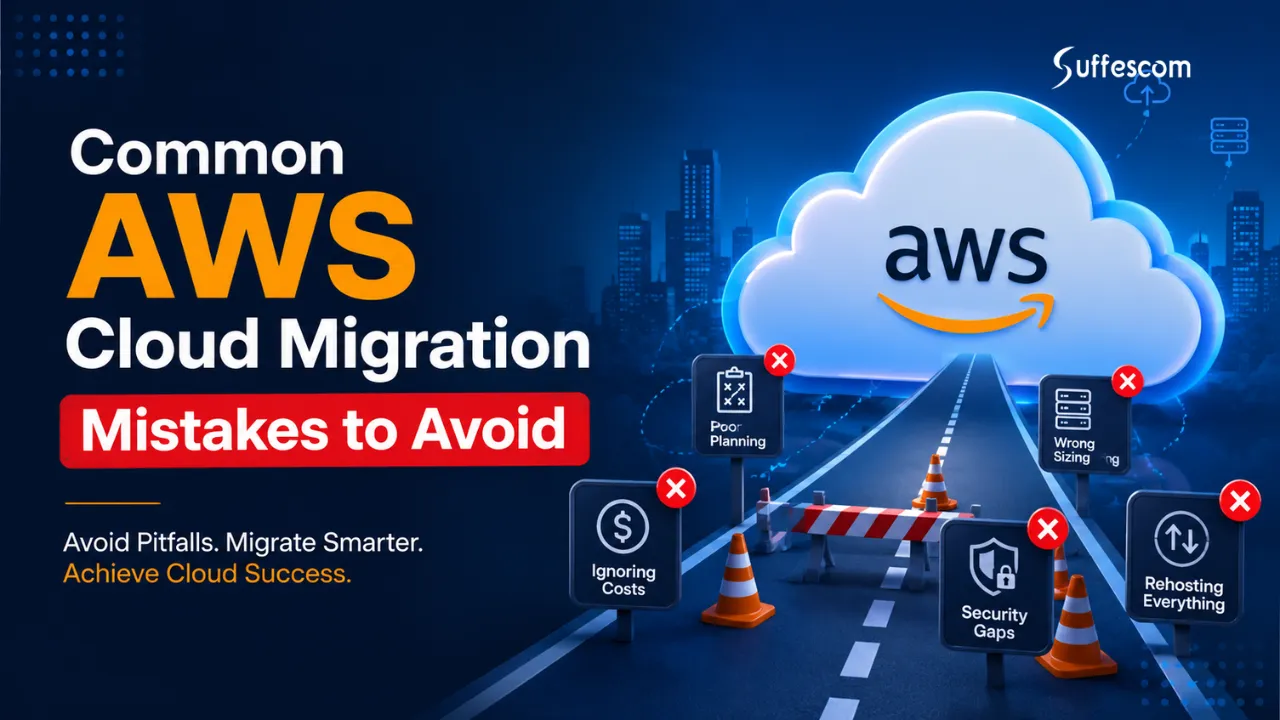
Key Takeaways
- AWS leads the world as the top public cloud platform with nearly 30% of the total global cloud infrastructure market. This makes AWS the most commonly used public cloud provider by businesses moving their applications and infrastructure to the cloud.
- Organisations that implement formalised migration planning and governance frameworks have a much higher probability of completing the migration process on schedule and under budget than those that do not.
- Poor management of cloud costs is one of the primary reasons for dissatisfaction with the migration process as unexpected costs for infrastructure and data transfer can often significantly decrease the return on investment.
- Security misconfiguration continues to be one of the top ten cloud security issues for organisations as security controls including identity, access rights and audit/monitoring controls are not always implemented correctly.
- Successful AWS migrations are successful not just because they move workloads from on-premise to AWS, but because they also improve the efficiency of operations, provide the ability to be more resilient, and establish long-term governance practices for their organisation’s use of AWS.
Introduction
Cloud adoption is a deal for companies in the United Kingdom. They are moving their applications, workloads and data to Amazon Web Services to make things better. This means they can handle work, keep things safer, spend less money on equipment and help their companies change with the times. Moving to the cloud is not just about technology. To do it right you need to plan, make sure you have good controls in place and keep an eye on things all the time.
Amazon Web Services has a lot of tools to help with moving to the cloud. So a lot of companies have trouble when they make the switch. If you do not plan well you might spend more money than you thought, have problems with your applications or have security issues. These things can slow you down. You will not get as much benefit from moving to the cloud as you thought. A lot of companies do not understand how hard it is to move their systems to the cloud. They do not make a plan before they start and that causes problems.
If you know what mistakes to avoid when moving to Amazon Web Services you can reduce your risks and get the most out of adoption. This guide will talk about the problems companies face when they move to the cloud and how to avoid them. It will also give you tips on how to make a plan for moving to Amazon Web Services so you can do it safely without spending too much money and get the results you want.
Why AWS Migration Projects Fail More Often Than Expected
Amazon Web Services or AWS has a lot of things that can help people move their things to the cloud. They have tools that can do things automatically. They have ideas on how to do things the right way. Just because they have all these things does not mean that everything will go smoothly. A lot of people who try to move to the cloud have problems that they could have avoided if they had planned better and had realistic ideas about what would happen.
Lack of Executive Sponsorship
When a company decides to move to the cloud it affects a lot of parts of the company. This includes the people who do the computer work, the people who handle the money, the people who keep everything, the people who make sure everything runs smoothly and the people who are in charge of the company.
If the people in charge do not support the move to the cloud then the project will probably have some problems. These problems can include not knowing what is important, not having money and not having enough help from the rest of the company.
Poor Stakeholder Alignment
Stakeholders usually have different priorities. IT folks care about tech stuff, finance focuses on keeping costs down, and business leaders aim to run things smoothly. When these goals clash, migration projects get messy.
For migrations to work, you need great communication, set common goals, define roles, and coordinate regularly. If we establish governance early on, we can avoid disputes and make the project go better.
Unrealistic Migration Timelines
A large number of organisations may underestimate the complexity involved in the enterprise workload migration. These workloads consist of the legacy systems, dependencies, data transfer requirements, compliance regulations, testing etc which contribute to prolonging project time.
Trying to rush migration time increases the risk of deployment, mistakes, downtimes and impact to operations. A phased approach to migration is the best route as far as visibility and control over the risk and business continuity are concerned.
Incomplete Infrastructure Assessment
Migration projects often fail when organisations don’t have accurate documentation on their current setup. Unknown stuff like unsupported apps and legacy integrations can cause issues during the move.
To avoid this, teams need to thoroughly discover and assess everything before migrating. That means finding out app relationships, network setups, database dependencies, and infra needs.
Weak Cost Planning
A common myth is that moving to the cloud always cuts costs. While AWS offers big savings opportunities, companies might end up spending more without a good cost management plan. Expenses can spiral out of control fast if you don’t size resources right, keep a budget, watch expenses, and optimise stuff after migrating.
Security and Compliance Oversights
Security needs to be part of all stages of the migration planning phase, but unfortunately, most organisations will concentrate on migrating workload and take a reactive approach towards controls. This increases vulnerability and risk of misconfiguration, non-compliance and security breaches.
Planning security with a UK organisation needs to take into consideration UK GDPR requirements, sector specific regulation, access controls, encryption and continuous monitoring procedures.
Insufficient Testing and Validation
Testing is key to migration success. Organisations that skip checking their app functions, speed, security, and backup plans usually run into problems post-cutover.
Thorough testing cuts risks, finds hidden issues, and boosts confidence before moving workloads to live use, so it’s really important.
Plan Your AWS Migration the Right Way
Build a structured migration roadmap based on your business goals and workloads.
AWS Migration Readiness Assessment Framework
Before jumping to AWS migration, organisations ought to look at their infrastructure maturity, app dependencies, security controls, compliance needs, and financial prep. This evaluation lets folks grasp their current setup, set migration priorities, and make a plan that keeps disruptions down and business value up.
Questions Every Organisation Should Answer Before Migrating
| Assessment Area | Key Questions | Risk Level |
| Infrastructure | Is current architecture documented? | High |
| Security | Are security controls mapped? | High |
| Applications | Are dependencies identified? | Medium |
| Compliance | Is UK GDPR impact assessed? | High |
| Costs | Is TCO analysis completed? | Medium |
Each part of the assessment process is super important for smooth migration planning. Undocumented infrastructure could lead to unplanned downtime, whereas not spotting app dependencies might make crucial services crash post-migration. Plus, skipping compliance checks exposes firms to both regulatory issues and costly fines.
Signs Your Organisation Is Not Yet Ready for AWS Migration
A lot of companies dive headfirst into cloud migration due to competition or due to upper management’s push. But moving fast without being well-prepped usually just bumps up costs and makes the project more complicated. Catching those readiness shortcomings early on can help avoid typical snags during migrations.
Incomplete Infrastructure Documentation
If your IT team doesn’t have accurate records of servers, databases, network setups, and app environments, migration planning gets way harder. Without that full view, you might run into hidden dependencies and old stuff that isn’t supported during the move.
Unclear Business Objectives
AWS migration should be guided by clear business goals, not just tech trends. Without defined aims like cutting costs or boosting security, the plan might lose focus. So, make sure to pinpoint what you want to achieve—like better performance or quicker innovation—before you start.
Limited Understanding of Application Dependencies
Applications do not typically run in a vacuum. Some applications need databases which are connected to each other, some rely on external APIs, some use external services and some utilise old existing systems. If this interdependence is not known then service will fail and an unplanned outage will occur.
Security and Compliance Gaps
There are organisations processing sensitive customer, health, finance or regulated data which have to ensure compliance requirements are understood prior to migration taking place. The lack of security controls, or inappropriate access management, or insufficient compliance assessment will constitute a big risk.
No Cloud Cost Forecasting
Companies that haven’t done a Total Cost of Ownership analysis frequently struggle to estimate cloud spending. Without it, cost forecasting and budgeting suffer, and migration projects can go over budget easily.
Lack of Internal Cloud Expertise
With limited AWS know-how, internal teams might battle architecture design, migration execution, security setup, and optimisation after migration. This skills shortfall slows projects and ratchets up operational risks, too.
When to Engage AWS Migration Consultants
Some organisations may have the necessary skills in-house to carry out the migration, but a large percentage can leverage specialised and trained AWS migration consultants who will be able to minimise the risks and time scale for such projects and make sure the migration process adheres to best practices.
Your Environment Is Complex
Big companies may have thousands of applications, databases and legacy systems interconnected with each other. The consultancy is able to undertake full discovery assessment and dependency mapping, as well as a migration plan, in order to simplify the environment.
Compliance Requirements Are Stringent
Companies operating in regulated industries like finance, health, government, and the legal sector, there is a set of rigorous security and compliance requirements. Migration consultants specialising in AWS, can make sure that cloud solutions adhere to industry best practices and regulatory mandates.
Internal Resources Are Limited
Migration projects are complex, time-consuming, and require highly specialised skills. By using outside experts when internal resources are occupied with daily tasks, companies can avoid running out of the resources needed for a project.
You Need a Migration Roadmap
With a consultant-developed and defined migration roadmap, a clearer prioritisation of workload migration and associated risks, testing plans, governance procedures and optimisation plan is produced. This builds up a sense of assurance.
Cost and Risk Reduction Are Priorities
Skilled migration partners will already have a deep knowledge of common migration pitfalls, along with established methodologies they know can minimise downtime and potential security threats, and keep the cloud spending within reasonable limits. Typically, they have experience in executing these migrations faster and more efficiently in the long run than in-house operations.
By undertaking a migration readiness assessment before initiating the AWS migration, businesses will learn of any potential challenges and be able to provision the required resources accordingly and set realistic migration plans. It is these organisations that commit to upfront preparation that stand a good chance of realising a safe, cost-effective and beneficial cloud transformation.
What Is AWS Cloud Migration?
AWS cloud migration is when you move your stuff, like applications and databases to the AWS cloud. Companies do this for reasons and they can move from their own servers, a private cloud or another public cloud. The process of doing this can be very simple or very hard. Some companies just move their applications with small changes, while others completely change their systems to work better in the cloud.
The way they do it depends on things like how much money they have, what their applications are like, what rules they have to follow, how fast they need things to work and what is most important to them. AWS cloud migration is something that companies consider when they think about what they want to achieve with their business and how they can use the AWS cloud to help them.
An effective AWS migration strategy helps organisations:
- Improve infrastructure scalability
- Enhance business agility
- Reduce operational overhead
- Strengthen security and resilience
- Accelerate innovation initiatives
- Support long-term growth objectives
Common AWS Migration Approaches
The same strategy may not be applied to all applications. The recommended best practice from AWS is to determine, for each workload, the appropriate migration strategy using business drivers and technical requirements. Those strategies are called the “Rs” of migration.
Rehosting (Lift and Shift)
Rehosting is also known as ‘lift and shift‘ migration, moving applications to AWS without changing their architecture. It is the simplest and fastest way of migration, as the current workloads are moved as they are.
The reason many organisations choose rehosting is either for quickly moving to the cloud, or for getting out of data centres or simply for reducing data centre maintenance costs without putting in extra efforts on re-engineering applications.
Replatforming
Making small changes to your applications as you move them to the cloud to take advantage of some capabilities of the cloud. The fundamental structure of the application will remain the same, but some components will be adapted in order to enable scale-up/scale-down and increase performance or decrease cost.
This would be migrating databases to Managed Service within AWS or implementing automatic scale-up/down functionality.
Refactoring
Refactoring means to redesign or rebuild applications using the advantages of cloud-native technologies and AWS services; that’s one approach that organisations will adopt when they look to be more scalable, agile, reliable and economical in the long term.
Applications could be re-architected using micro-services, containers, serverless technologies and managed services.
Repurchasing
Repurchasing means getting a cloud-based software instead of an old one. It is replacing an existing application with a cloud-based service. Organisations choose this option to get functions without maintaining old software.
For instance a company may use a cloud-based Customer Relationship Management (CRM) tool for managing its own CRM system.
Relocating
Relocating is moving existing infrastructure to AWS. This is done without buying equipment, changing applications or making big changes to the setup. Organisations use this method to move many virtual computers from their own virtualisation platforms to AWS.
Businesses often pick relocation to stop using their data centres, reduce the work of managing infrastructure or quickly start using cloud services while keeping their applications as they are.
Retiring
During migration assessments, organisations often find applications that are not needed anymore. Retiring means getting rid of extra or not very useful applications that do not help achieve business goals.
Getting rid of applications can lower migration costs and make cloud environments easier to manage.
Retaining
Some applications are not a good candidate for migration due to technical issues, compliance reasons, licensing restrictions or business reasons. In such cases the organisation may continue the workloads in the current environment and migrate others.
This strategy can be implemented as part of a larger hybrid cloud initiative.
Why Businesses Migrate to AWS
There is a reason why every organisation (whether large or small) chooses AWS as its primary cloud provider – it offers the broadest and most developed range of cloud services, global infrastructure, and the highest reliability in the industry. Reasons to migrate to AWS include:
Improved Scalability
It is possible to scale the resources in AWS both upwards and downwards depending on the demand placed upon them. This will enable organisations to grow without the high cost of purchasing costly hardware.
Cost Optimisation
Eliminates many of the capital costs associated with traditional data centres. Organisations pay only for the resources they consume and have the flexibility to provision the required resources dynamically based on demand.
Enhanced Security
AWS has numerous security features like identity management, encryption, threat detection, monitoring and compliance tools that enable customers to enhance their overall security.
Increased Business Agility
Cloud allows you to quickly implement and distribute your applications and services, increasing the pace of innovation and allowing you to rapidly adapt to market dynamics as provisioning can be achieved on demand.
Better Disaster Recovery and Resilience
You are provided with a wide number of available zones as well as back-up facilities, enabling you to minimise your business downtime and to protect it against failures.
Support for Digital Transformation
Key components such as artificial intelligence, machine learning, analytics, automation, and the internet of things are available as services within the AWS cloud ecosystem enabling companies to rapidly bring innovation to their customer base.
By understanding the available migration options and the business rationale for adopting cloud, the organisation can make sound decisions on how best to move its workloads to AWS, mitigating risk and extracting long term value.
Common AWS Cloud Migration Mistakes to Avoid
Enterprise cloud migration projects can go wrong when companies have a lot of money to spend. This happens when they do not think about things like planning and security. If businesses know what mistakes to avoid when moving to Amazon Web Services they can reduce problems, keep costs low and make sure their cloud investment is worth it.
Mistake #1: Migrating Without a Cloud Strategy
A lot of Amazon Web Services migration projects fail because companies do not have a plan for using the cloud. Many companies are in a hurry to move their workloads to the cloud without thinking about what they want to achieve, what is most important, how they will measure success or how they will make sure everything runs smoothly.
If there is no strategy, then migration takes place in a reactive rather than a planned fashion, resulting in time, budget overruns and inconsistent results.
Key Risks
- Unclear migration goals
- Misaligned business and IT priorities
- Unexpected project costs
- Poor workload prioritisation
- Increased operational disruption
How to Avoid It
Define measurable business objectives for migration before starting to migrate any elements. What is the driver behind the migration- cost savings, scale, security, modernisation or business continuity? Define a migration roadmap and relevant stakeholders, along with the relevant governance framework and realistic timescales.
Real-World Example
A company successfully migrates applications into AWS in hopes of gaining quick cost savings, but ends up seeing the bill skyrocket due to improper assessment and optimisation of the workloads migrated to the cloud. Had a clearly defined migration strategy with appropriate workload analysis and cost estimation been outlined, this problem could have been avoided.
Mistake #2: Underestimating Application Dependencies
Few applications stand alone. Enterprise applications are dependent on databases, APIs, authentication services, storage services, third-party applications and other applications that are linked to each other. If we don’t take account of the dependencies prior to migration, it may lead to services not functioning correctly, poor performance and the failure of the application.
Hidden Infrastructure Risks
Most organisations are alerted to these unknown dependencies when they start migrating. A legacy application might have hard coded links or rely on software that has already gone out of support, or components that will be hard to replicate in the cloud.
Common risks include:
- Application downtime
- Database connectivity failures
- Broken integrations
- Data synchronisation issues
- Unexpected performance degradation
Dependency Mapping Best Practices
Before migration, organisations should perform comprehensive application discovery and dependency mapping exercises.
Best practices include:
- Inventory all workloads and applications
- Document application relationships
- Identify database dependencies
- Analyse network traffic patterns
- Assess third-party integrations
- Conduct migration impact assessments
Proper dependency mapping significantly reduces migration risk and improves planning accuracy.
Mistake #3: Poor Cloud Cost Planning
There is a common misconception amongst many companies that migrating to AWS is a straightforward way of cutting down IT expenditure. While savings can be immense, lack of planning can result in a surprising large amount on a monthly bill.
A rapidly rising cloud bill often occurs when a company has allocated a massive portion of resources that do not need to be used, failed to terminate unused services or has not adapted workloads for a cloud environment.
Why AWS Bills Exceed Expectations
Several factors contribute to cloud cost overruns:
- Overprovisioned compute resources
- Unused storage volumes
- Excessive data transfer charges
- Poor workload sizing
- Lack of budget monitoring
- Underutilised reserved capacity
Without visibility into resource consumption, organisations may spend significantly more than anticipated.
Cost Governance Controls
Implementing cloud financial management practices helps control spending throughout the migration lifecycle.
Recommended controls include:
- Resource tagging policies
- Budget alerts and monitoring
- Rightsizing reviews
- Reserved instance planning
- Cost allocation reporting
- Regular cloud cost audits
A proactive governance approach ensures cloud spending remains aligned with business objectives.
Mistake #4: Ignoring Security and Compliance Requirements
Security cannot be an afterthought in your migration. Those organisations focused on speed at the expense of security built into their environment vulnerabilities that magnify both the operational risk and regulatory risk. Cloud environments demand shared security between AWS and the customer.
AWS Shared Responsibility Model
AWS has the responsibility to secure the infrastructure which is in the cloud: data centres, network and hardware components.
Customers remain responsible for:
- Identity and access management
- Data protection
- Security configurations
- Application security
- Compliance management
- Network security controls
Misunderstanding these responsibilities often leads to security gaps.
UK GDPR Considerations
Organisations using personal data must guarantee that their move to the cloud also meets the regulations of UK GDPR.
Key considerations include:
- Data protection impact assessments
- Encryption requirements
- Access controls
- Data residency considerations
- Incident response procedures
- Data retention policies
Compliance planning should begin during the migration assessment phase.
Industry Compliance Standards
Depending on the industry, organisations may also need to comply with:
If these are ignored it may lead to breaking compliance, thus affecting the company’s image.
Mistake #5: Lack of Migration Testing
Testing gets overlooked way too much in cloud migration projects. Companies that skip it usually face app failures, security issues, and performance problems post-deployment. You could have the best plans in place, but even then, migrations fail if workloads aren’t validated thoroughly before being rolled out.
It spots those config errors, network snags, and security flaws that might otherwise hide and only show up when disrupting business ops. So yeah, proper testing is super important to catch these things early on.
Types of Testing Required
Successful migrations typically include multiple testing phases:
- Functional testing
- Performance testing
- Security testing
- User acceptance testing
- Failover testing
- Integration testing
Each testing category validates a different aspect of the cloud environment before production deployment.
Pre-Migration Validation Checklist
Before moving workloads into production, organisations should verify:
- Applications function correctly
- Databases are synchronised
- Security controls are operational
- Backup processes work as expected
- Performance benchmarks are met
- Monitoring tools are configured
Comprehensive testing reduces risk and improves migration confidence.
Mistake #6: Insufficient Backup and Disaster Recovery Planning
Most organisations spend significant time planning the migration execution and no time on recovery planning. If something happens during the migration, the organisations would suffer loss of data and high downtime as no back up or recovery strategy is available.
With the proper back up and disaster recovery strategy organisations will be able to restore the critical business data quickly even though there is a failure in the system after or during the migration process and reduce business down time and loss of customer confidence.
Recovery Objectives
Every migration project should establish:
- Recovery Time Objective (RTO) is about how long a system can be down after a problem before it starts seriously hurting business operations.
- Recovery Point Objective (RPO), on the other hand, is how much data an organisation can stand to lose during an outage. It also tells us how often backups need to happen to keep running smoothly.
This outlines the levels of acceptable downtime and data loss which guides an organisation in the correct planning of recovery solutions.
Business Continuity Planning
Effective business continuity planning should include:
- Automated backups
- Cross-region replication
- Disaster recovery testing
- Incident response procedures
- Recovery documentation
- Recovery ownership assignments
A strong recovery strategy protects business operations during and after migration.
Mistake #7: Choosing the Wrong Migration Strategy
Not every workload is the same so we should not move them to the cloud. If we choose the way to do it, it will cost more money, take longer to finish the project and we will not get all the good things that the cloud can give us in the long run.
Comparing Migration Approaches
| Strategy | Complexity | Cost | Downtime |
| Rehost | Low | Low | Low |
| Replatform | Medium | Medium | Medium |
| Refactor | High | High | Low |
We can just move some workloads to the cloud as they are. This is called rehosting and it is a way to do things quickly. But sometimes it is better to change the workload to make the most of what the cloud can do. This is called refactoring. To pick the way we need to think about what our company wants to achieve, how much money we have, what risks we are willing to take and how hard it is, from a technical point of view. We need to balance all these things when we are deciding which cloud migration strategy to use for our workload.
Mistake #8: Neglecting Employee Training
The transition to cloud computing is about people as well as technology. Your employees will need to know how to use the new systems and procedures, and take on new operational roles in order to enable a cloud-based migration.
Insufficient training can lead to teams having trouble with cloud resource management, troubleshooting or security enforcement and cost optimisation. Internal cloud skills will allow organisations to leverage the value of their investment in AWS once the migration process is concluded.
Cloud Skills Gap Challenges
Few organisations have a good pool of expertise with regard to cloud technologies. Especially in the fields of:
- AWS architecture
- Security management
- Cost optimisation
- Automation
- DevOps practices
AWS Certification Paths
AWS certifications help build internal expertise and confidence.
Popular certifications include:
- AWS Cloud Practitioner
- AWS Solutions Architect Associate
- AWS SysOps Administrator
- AWS Developer Associate
- AWS Security Speciality
Investing in cloud skills development supports long-term operational success.
Mistake #9: Overlooking Performance Optimisation
Migration doesn’t automatically boost application performance. Legacy workloads usually need optimisation to really benefit from AWS infrastructure.
What runs smoothly on-premises might require changes to leverage cloud goodies like auto scaling and load balancing. Constant tuning keeps things reliable, which improves the user experience and cuts down on extra costs.
Cloud-Native Optimisation Techniques
Organisations can improve performance through:
- Auto Scaling
- Load balancing
- Managed databases
- Content delivery networks
- Containerisation
- Serverless computing
These features allow the application to run efficiently in the cloud.
Monitoring Best Practices
Continuous monitoring ensures performance problems are detected before they affect end users.
Recommended practices include:
- Infrastructure monitoring
- Application performance monitoring
- Log analysis
- Capacity planning
- Automated alerting
- Resource utilisation reviews
Performance optimisation should be an ongoing process rather than a one-time activity.
Mistake #10: Failing to Establish Cloud Governance
It gives us the rules, policies, and operational procedures for controlling cloud resources. Without governance, organisations tend to have runaway costs, inconsistent configurations, and security exposures.
Governance Framework Essentials
An effective cloud governance framework should include:
- Resource management policies
- Cost control procedures
- Security standards
- Compliance monitoring
- Operational guidelines
- Change management processes
Governance allows a cloud environment to be secure, effective, and focused on the business goals.
Access Control Management
Strong access management is a fundamental governance requirement.
Best practices include:
- Least-privilege access
- Multi-factor authentication
- Role-based permissions
- Regular access reviews
- Identity lifecycle management
- Privileged account monitoring
With correct governance, the organisation can grow the AWS environment keeping it secure, compliant and operational.
Reduce AWS Migration Risks and Downtime
Work with AWS specialists to ensure business continuity throughout your migration journey.
Cloud Migration Cost Overrun Prevention Checklist
Organisations often move to AWS for cost savings, but many find that cloud spending can surpass what they expect if they don’t manage things well. Unlike old infrastructure, cloud environments can scale way up, which is great but also means costs can soar if you don’t monitor workloads.
To stay on track, companies need to start with good financial planning even before migration. If they assess workloads and keep an eye on resource use, they’re more likely to meet their investment goals. Understanding why costs might get out of hand helps businesses put controls in place to align cloud migration costs with their ops goals.
Most Common Sources of Unexpected AWS Costs
Poor planning or inefficient use of resources along with a lack of visibility can create unexpected cloud costs for an organisation. If an organisation can identify those risks early on, it will be able to minimise any surprises that could occur after migration when it comes to budgets.
| Cost Area | Typical Cause | Prevention Strategy |
| Compute | Oversized instances | Rightsizing |
| Storage | Unused volumes | Lifecycle policies |
| Data Transfer | Excessive traffic | Architecture review |
| Licensing | Legacy software | License assessment |
The cost drivers mentioned above are also common, but organisations need to keep a close watch on their backup storage or snapshot retention, monitor any related service(s) for disaster recovery and utilise resources that have not been used in an effective manner. In general, small inefficiencies across many different workloads can eventually create a larger expense on a monthly basis, which can add up significantly.
Compute Costs
Workloads often migrate with instance sizes that are not proportional to their performance demands. Over- provisioned instances lead to unnecessary expenditure and a decrease in cloud efficiency.
By performing workload analysis and utilising utilisation metrics routinely it can be determined that the size of the infrastructure is suitable for business requirements.
Storage Costs
Keeping orphaned volumes, old backup and duplicate data around forever can lead to increased storage costs. Uncontrolled cloud storage can also grow very quickly if no governance policies are enforced.
Automated lifecycle policies will store or delete data that is no longer providing value.
Data Transfer Charges
In migrating an application, the cost of data transfer is often ignored in planning. Those applications which transfer many GBs between regions, availability zones, or outside the network will incur high data transfer costs. You should examine the application architecture and reduce the amount of data transfer.
Licensing Expenses
Licenses for legacy applications may be tied to Specialised software licenses, incurring ongoing cost post migration. Existing licenses may not be optimal for use in a cloud environment. Software license assessments are essential in determining if there is potential for cost savings and cloud native workloads.
AWS Cost Optimisation Best Practices
The optimisation of cost is viewed as a continuous, ongoing process as opposed to a one-time migration task. Continuous governance and monitoring are undertaken to ensure organisations achieve optimum efficiency gains from the cloud and performance and reliability levels are met.
Rightsize Resources Regularly
The workload requirements vary with time. The periodic review can detect an oversized resource requirement which can assist the organisation to scale back its infrastructure to save cost.
Implement Resource Tagging
Tagging your resources by department, application, project, or business unit provides visibility into costs and promotes accountability, and eases reporting and budget management in cloud environments.
Use Reserved and Savings Plans
It can help lower compute costs for predictable workloads compared to normal pay-as-you-go pricing. Reserved Instances and Savings Plans are used.
Automate Resource Management
Automate the shutdown of non-production environments when employees are not using them, remove unnecessary resources and better utilisation without manual intervention.
Establish Budget Alerts
Budgeting & Monitoring Tools offered on AWS allow organisations to view cost consumption in real-time and notify when budgets are breached. Identifying cost creep at an early stage can avoid future cost overruns.
Continuously Monitor Cloud Usage
Audits performed on a regular basis on compute, storage, network, and database resources can highlight optimisation areas that can save on the costs involved before they can significantly impact the overall expenses incurred. Optimisation needs to be an ongoing process in every cloud governance strategy.
FinOps Principles for Cloud Migration
As organisations struggle to keep up with the ever-growing complexity of cloud environments, a majority are beginning to embrace FinOps practices in order to enhance financial accountability and operational efficiency in cloud spending. FinOps is a cross functional business practice that enables finance, operations, and engineering to bring together cloud spending decisions with cloud spending practices.
Create Financial Visibility
The information regarding cloud spending must be precise and real-time available to all teams that use the cloud. Knowing where to invest is only possible if a clear picture of how you are spending is present.
Promote Shared Accountability
Management of cloud spending is not merely Finance’s problem. Engineering, operations, and business are each responsible in varying degrees for cloud spending.
Make Data-Driven Decisions
Use of metrics, performance indicators and cost analysis rather than guessing; by making decisions based on data, businesses are able to optimise the trade-off between cost, performance and business value.
Optimise Continuously
Given the dynamic nature of cloud computing, optimisation is an on-going process, with on-going reviews, automatic recommendations and monitoring to keep resources aligned with business goals.
Align Spending with Business Value
Each business investment in the cloud needs to contribute towards a measurable business goal, from increased customer experience to enhanced scalability to sped up innovation.
AWS Migration Risk Assessment Matrix
Every cloud migration project has some level of risk. Understanding common migration risks helps organisations reduce problems improve project results and keep their business running
Technical Risks
Technical risks are a challenge during AWS migration projects. These risks usually come from infrastructure, application compatibility issues or poor planning.
Common technical risks include:
- Application compatibility problems
- Infrastructure configuration errors
- Legacy system limitations
- Network performance issues
- Database migration failures
- Integration challenges between systems
Many organisations find hidden dependencies only after migration starts. Doing infrastructure checks mapping dependencies and testing migrations with pilot projects can greatly reduce technical problems.
Security Risks
Security is also one of the primary concerns that are driving organisations to the cloud with sensitive workloads and data. Poor configurations, access control and monitoring can lead to a large-scale vulnerability to a cloud-based environment.
Common security risks include:
- Excessive user permissions
- Misconfigured security groups
- Unsecured storage resources
- Weak identity management controls
- Inadequate encryption practices
- Limited visibility into security events
Good security governance, regular security monitoring and periodic security review will keep the cloud environment secured through the migration period.
Financial Risks
Cloud migration projects can become financially tricky where organisations have insufficient costing estimations or poor governance controls. Although AWS does allow for elastic pricing, expenditure can rapidly escalate in the absence of adequate control.
Common financial risks include:
- Unexpected infrastructure costs
- Resource overprovisioning
- Excessive data transfer charges
- Software licensing expenses
- Budget forecasting inaccuracies
- Lack of cost accountability
To limit the likelihood of exceeding the budget and increase return on investment, the structures and process of financial governance, budgetary control and continuous optimisation.
Operational Risks
Operational risks are those associated with day-to-day activities of the business and typically arise as part of the migration activities; for instance disruption of key business process or service and the consequences on the business such as: Reduced productivity and poor customer service.
Common operational risks include:
- Service downtime
- Employee adoption challenges
- Inadequate training
- Poor change management
- Delayed project timelines
- Insufficient support resources
Organisations should strive to mitigate operational risks through the utilisation of phased migration, performing end-user training, and continuing communications through the migration process.
AWS Migration Risk Matrix
The matrix below summarises a range of common risks that organisations typically encounter with AWS migration projects, along with an outline of the impact, likelihood and how to mitigate them.
| Risk Type | Impact | Likelihood | Mitigation |
| Downtime | High | Medium | Pilot migrations |
| Security Misconfiguration | High | Medium | Security audits |
| Cost Overruns | Medium | High | Budget monitoring |
| Data Loss | High | Low | Backup strategy |
AWS Migration Best Practices for UK Organisations
A successful AWS migration requires a combination of good planning, governance and optimisation. By using best practices organisations reduce risks, maintain compliance and achieve objectives. This provides reduced risk, improved efficiency and a resilient and scalable AWS infrastructure for UK organisations and supports future growth.
Establish Clear Business Objectives
All AWS migration efforts should be driven by business objectives. From a reduction in infrastructure expenses to increased scalability, better security, and faster innovation, priorities will shape the decisions and define success criteria for a migration.
Goals also ensure that everyone involved has realistic expectations.
Perform Application Discovery
Before moving workloads to AWS it’s essential to have an end-to-end understanding of the application environment, this involves identifying interdependencies, infrastructure needs and compatibility problems which may impact migration success.
A full discovery process enables the teams to decide the correct migration approach for each workload and minimise the possibility of post-migration disruptions.
Implement Strong Security Controls
Security needs to be integrated throughout the whole lifecycle of the migration. Organisations need to consider having sound identity and access management policies, apply encryption where necessary and constantly be monitoring the cloud environment for threats.
The planning for the migration will need to consider the specific compliance and regulations UK organisations will be required to meet.
Automate Migration Workflows
By cutting down on tasks automation lowers the chance of human mistakes and speeds up migration. Amazon Web Services or AWS offers tools to automatically copy, deploy, test and manage workloads during migration.
The automated process makes the migration uniform, and allows businesses to carry out more migrations concurrently.
Continuously Monitor Performance
Cloud setups need checks to make sure apps keep working well after migration. Monitoring helps spot performance issues, resource shortages and operational problems before they affect users or business operations.
Regular performance checks also give insights, for future optimisation plans.
Optimise Cloud Costs Regularly
Cost control should stay a priority after migration is done. Organisations should regularly check resource usage, find services that are not used much and look for ways to improve efficiency.
Regular optimisation helps control spending, improve resource use and get the most out of investments.
AWS Migration Tools That Reduce Risk
AWS offers a set of migration services to help enterprises with adopting the cloud. These services facilitate lower operation complexity, lesser risk during migration, enable data transfer securely and support business continuity throughout the migration process.
Choosing the appropriate set of AWS migration tools would speed up the migration process and minimise downtime, loss of data and human efforts.
AWS Migration Hub
AWS Migration Hub acts as a single location from which organisations can manage and track their migration projects. It allows organisations to visualise their application migration status in several AWS and partner tools, thus simplifying the coordination of large migration programs.
Migration Hub assists teams in tracking migrations, identifying potential problems, and gaining visibility over migration activities via a dashboard, so that no workload is missed out during the process.
AWS Application Migration Service
The AWS Application Migration Service, which is also known as MGN makes it easy to move virtual and cloud-based servers to AWS. This service always makes a copy of the source servers so organisations can move their workloads without trouble.
The AWS Application Migration Service really aids organisations wanting to use a rehosting/lift and shift migration strategy. As AWS Application Migration Service automatically copies and transfers servers this can help an organisation minimise its server downtime and significantly speeds up the overall migration process.
AWS Database Migration Service
Organisations can use AWS Database Migration Service (AWS DMS) as an effective and secure way to migrate databases to AWS. AWS DMS has many kinds of database engine support and keeps data available during migration.
With AWS DMS businesses have the flexibility to migrate their databases between on-premises, the cloud, or AWS services while having minimal application downtime, which is a big plus for business-critical databases.
AWS DataSync
AWS DataSync is an automated data transfer service that allows organisations to transfer large amounts of data between on-premises storage systems and AWS storage services. As an alternative to transferring data manually or through traditional methods, DataSync makes moving data easier and quicker.
AWS DataSync is suitable for a variety of projects such as migrating data, backing up files, restoring data after disasters, and keeping data synchronised both locally and on AWS. Because of the automation involved with DataSync, users find that transferring data is less complicated and more reliable than before.
AWS CloudEndure
AWS CloudEndure enables companies to conduct large- scale migration of workloads as well as disaster recovery by continuously replicating source machines into AWS. As a result, organisations are able to quickly restore systems and return to normal operations after a migration event.
CloudEndure assists in increasing an organisation’s resilience by providing reliable recovery capabilities and decreasing the risk from infrastructure failures or unexpected incidents. This makes it a highly valuable application for organisations with very stringent business continuity requirements.
AWS Security Best Practices During Migration
Security is really important when you are moving to Amazon Web Services. You have to make sure you are keeping your information safe at every step of the way. Companies need to put the safety measures in place to protect their important data, follow the rules and stop bad people from getting in and causing trouble.
If you do what the experts say is the way to keep things safe you can have a secure place for your data in the cloud and still keep your business running smoothly and do what you are supposed to do according to the law. Security is key to all of this so you have to keep focusing on Amazon Web Services security.
Identity and Access Management
Well implemented IAM is about ensuring that the right individuals, applications and services have the correct privileges on the resources which they need access to. The principles of least privilege should be applied by businesses, alongside the use of multi-factor authentication and the ongoing assessment of the rights.
Encryption Strategies
One very important use of encryption is safeguarding sensitive data when data is being migrated. The organisation must use both encryption in transit and encryption at rest by adopting AWS’s encryption mechanisms and standards. This ensures that sensitive information is protected and regulated while also conforming to the data security standards.
Network Segmentation
By dividing up the workloads and confining communications between each part of the cloud, network segmentation can contain the reach of security threats. By using V pcs, security groups and network access controls the organisation is able to isolate the key systems.
Security Monitoring and Logging
Through ongoing monitoring and logging, cloud activity is kept visible and organisations can swiftly respond to any security threats. Security teams are afforded capabilities for monitoring, audit logging and security threat detection through the use of AWS services which would allow security personnel to notice any anomalies, perform incident response and stay in compliance with security policies.
How to Choose the Right AWS Migration Partner
Choosing the right AWS migration partner will affect how quickly, cost-effectively, and successfully your cloud transformation can be implemented. AWS can help by providing numerous migration tools and services but your migration partner’s skills and experience are crucial in optimising how well workloads can be migrated, manage risks, and achieve business value quickly.
A good migration partner doesn’t just provide the mechanism for applications and data to be moved into AWS but assists you with strategy, identifies the potential risks, optimises cost to your cloud instance, improves your security stance, and provides continuous support.
Technical Expertise Requirements
When choosing an AWS migration partner, their tech skills matter most. Ideally, they’ve designed, set up, and managed AWS setups for rehosting, refactoring, and app modernisation.
Go for experts with AWS certifications. These pros get cloud architecture, networking, db moves, security, disaster recovery, automations, and cost saving. They need to fit your biz needs and infra complexity too. Also, request case studies on past migrations. Try to find ones in industries or using tech like yours.
Industry Experience
Each industry has its own unique operational needs, regulatory requirements and security needs. A migration partner with experience in your specific industry will be more accustomed to your specific issues and be better positioned to guide you using cloud migration best practices.
Examples of the many industries where there are often strict regulatory requirements and complex data management requirements are healthcare, financial services, government, legal and e-commerce. These issues can be resolved by an experienced partner whilst reducing the migration risk and eliminating common compliance issues.
Industry experience can often speed up project delivery as your migration team will be accustomed to typical workloads, business processes and governance requirements.
Security Credentials
When picking an AWS migration partner, security needs to be a main factor. The provider must show they understand cloud security really well – that means they know all about security frameworks, access management, encryption, rules, and watching out for threats.
Businesses should check if the partner sticks to accepted security guidelines. Seeing their certifications, reading their security plans, and learning from their successes in keeping other environments safe can boost your trust.
Lastly, a good partner will clarify responsibility management during migration and once stuff is up and running on AWS.
Questions to Ask Before Hiring
Before selecting a migration partner an evaluation needs to be performed. Asking relevant questions will identify any shortfalls that may occur with skills, process or serviceability.
Consider asking questions such as:
- What AWS migration project have you completed that would be comparable to our’s.
- How do you determine migration readiness and risks involved?
- What methodology do you utilise for security and compliance management?
- How do you approach downtime during a migration?
- What cost optimisation strategies do you recommend?
- How will backup, disaster recovery and business continuity planning be addressed?
- What post migration support is offered?
Using these answers organisations can assess suppliers on a like for like basis and choose a partner best suited to meet the organisations objectives technically, operationally and for the business itself.
AWS Migration Success Story Framework
It is unusual for an AWS migration project to be a success entirely by chance. In almost all cases, there are factors at play that enable positive migration outcomes including clear planning, stakeholder buy-in, governance and optimisation. Although every migration project is different, most successful projects share common themes that prevent risks and add value to the cloud environment.
Awareness of factors leading to successful migrations can aid in developing effective cloud strategy and avoiding many of the pitfalls encountered during the course of this guide.
Common Success Factors
When you move to Amazon Web Services or AWS for short you need to plan to get your technology in order and keep making adjustments as you go. Every project is different. Some things always help you succeed. The following things are really important for a move to AWS.
Clear Business Objectives
You need to know what you want to achieve before you start moving to AWS. This means setting goals that you can measure, like saving money on infrastructure, making your system more flexible, keeping your data safe or coming up with ideas. When you have goals you can tell if you are doing well and make good decisions as you go along.
Comprehensive Assessment and Planning
To move to AWS successfully you need to take a look at what you already have like your infrastructure, applications and the rules you have to follow. This helps you find problems and make a realistic plan for moving to AWS.
Strong Stakeholder Alignment
Cloud migration touches on several different departments including the IT department, security department, finance department and business leadership. Open communication and having unified goals will allow all the stakeholders to be on the same page during the cloud migration process.
Security-First Approach
The companies that will consider the aspect of security on each step of migration will be able to preserve confidential information and to comply with the required rules. Security mechanisms, access control and management, encryption, monitoring mechanisms will have to be designed as from the beginning of migration.
Effective Testing and Validation
Thorough testing identifies performance concerns, configuration missteps, and security holes prior to putting workloads into production. This minimises the possibility of any issues post-migration.
Continuous Cost Optimisation
The businesses that excel do so by closely tracking cloud expenditure and refining their resource allocation following their migration to the cloud. Constant attention to costs allows organisations to fully realise the anticipated economic gains of AWS.
Typical ROI Metrics
Measuring the return on investment will enable organisations to judge if the objectives of their migration are being met. While results vary with business needs there are a range of ways to measure success:
Typical AWS migration ROI metrics include:
- Reduction in infrastructure and operational costs
- Improved application availability and uptime
- Faster deployment and release cycles
- Increased scalability and flexibility
- Reduced maintenance overhead
- Enhanced security and compliance posture
- Improved disaster recovery capabilities
It is crucial that we are tracking these metrics over a period of time. This will assist us in realising the efficacy of our overall cloud adoption efforts and will also justify future spending on cloud.
Lessons Learned from Successful Migrations
The biggest learning for successful organisations is that cloud migration is an ongoing journey and not just a one-time project. Organisations must learn that optimisations, governance and continuous improvements are required long after workloads are moved to AWS.
Another important lesson is security and compliance at the initial stage, once security and compliance have been addressed upfront, remediation costs and operational risks are minimised during other stages of the migration project.
Another success factor for the successful organisation is not only investment on technology but also on people; training employees and building technical skills as well as operational processes helps the organisation manage its AWS environment effectively.
These critical success factors can ensure organisations have a secured, efficient and a successful AWS migration, which is measured by meaningful results and with the lessons learned.
Conclusion
Amazon Web Services migration can bring a lot of things like being able to handle more work, better security, more flexibility and saving money in the long run.. To get these good things you have to do more than just move your work to the cloud. You have to have a plan, think everything through, have good security and keep an eye on things to minimise problems and get the most value for your business.
Like this guide has said, a lot of problems that happen when moving to the cloud come from mistakes that could have been avoided such as not planning costs, not testing enough, not noticing important details, having weak security and not having a clear plan for migration. If you do a check to see if you are ready to pick the right way to migrate, use the tools Amazon Web Services provides for migration and follow what has worked well for others you can greatly improve your chances of doing things right.
Moving to the cloud should be seen as something that is always happening, not a one-time thing. Companies that always try to improve performance, manage costs, make security stronger and learn more about the cloud are in a position to get all the benefits of Amazon Web Services. If you get ready and do things right you can build a system that is strong, can handle a lot and is ready for the future, which will help your business grow and innovate over time.
Partner With AWS Cloud Migration Experts
Accelerate cloud adoption with end-to-end AWS consulting and migration support.
Frequently Asked Questions
1. What is the biggest AWS migration mistake?
One of the Amazon Web Services migration mistakes is moving without a clear plan for using the cloud. Companies that do not define what they want to achieve look at what they have. Set rules for how to do things often have problems with costs, security and making sure everything works during the move.
2. How long does an AWS migration typically take?
An AWS migration time is variable. The amount of time needed for an AWS migration is influenced by complexity of the infrastructure, application dependencies, data quantity and strategy employed for migration. Smaller migrations might take a few weeks whereas enterprise level migrations can take months or more to complete.
3. What are the risks of cloud migration?
The common cloud migration risks are the duration of downtime, the misconfiguration of security settings, the loss of data, difficulties of compliance, unpredicted costs and performance problems. They could be decreased by careful planning, testing and risk management.
4. How much does AWS migration cost?
Migration cost to AWS depends on workload size, architecture complexity, migration tools utilised, any consulting services utilised, and also level of optimisation needed. Migration cost factors can include: cloud infrastructure costs, data transfer costs, software licensing costs, training costs, and operational costs.
5. What is the AWS 6R migration strategy?
The AWS 6R migration strategy is Rehosting, Replatforming, Refactoring, Repurchasing, Retiring and Retaining, the techniques enable organisations to decide on which migration path is the most appropriate for a given application, based on business and technical factors.
6. How do I reduce AWS migration downtime?
The following are the techniques by which the AWS migration can be lessened. Planning, Testing of workloads, Phased migration, Automated data transfer using Replication tools and defining an appropriate rollback process are few examples of techniques that are used to minimise downtime during migration. Pilot Migration can help the system to address any issues before the actual system is migrated.
7. What tools does AWS provide for migration?
AWS has various migration solutions that secure also the following: AWS Migration Hub, AWS Application Migration Service, AWS Database Migration Service (DMS), AWS DataSync and AWS CloudEndure. Migration solutions provided by AWS can automate and manage various migration processes for companies.
8. How can businesses avoid cloud cost overruns?
To prevent cloud cost overruns, businesses can execute cost assessment prior to migration, set budgets and monitor cloud spend, resize resources to be right-sized, tagging resources, and optimise cloud usage post-migration on an ongoing basis.
9. What security risks exist during migration?
General security risks include poor access control configuration, weak encryption, unsecure data transmission, overprivileged users, and non-compliance. Security controls can limit exposure to these risks and need constant monitoring.
10. Is AWS migration suitable for legacy applications?
AWS migration is generally compatible with legacy applications. Some companies use rehosting or re-platforming approaches to migrate legacy applications with little modification to the applications. Some workloads, however, must be modernised if maximum cloud benefits are to be obtained.
11. How do you create an AWS migration roadmap?
To create an Amazon Web Services migration roadmap you need to think about things. An Amazon Web Services migration roadmap usually has key parts. These are assessments, application discovery, dependency mapping, selecting a migration strategy, making testing plans, setting up risk management procedures and doing post-migration optimisation activities.
12. What compliance requirements apply in the UK?
In the United Kingdom there are some rules that companies have to follow. Companies in the United Kingdom may need to follow the United Kingdom General Data Protection Regulation, the Data Protection Act and other rules that are specific to their industry. They may also need to follow the Cyber Essentials standards, the Payment Card Industry Data Security Standard and the International Organisation for Standardisation 27001. All these rules depend on what kind of business the company’s in and how it handles data.
13. What is a cloud migration assessment?
A cloud migration assessment is when you look at how ready your company is to move to the cloud. This assessment checks your company’s infrastructure, applications, security and what rules it has to follow. How ready it is to migrate. The assessment helps you find out what risks and problems you might have before you start migrating.
14. How do you test applications after migration?
When you move your applications to the cloud you have to test them to make sure they work right. Testing applications after migration usually includes a type of tests. These are testing, performance testing, security testing, integration testing, user acceptance testing and disaster recovery validation. You do all these tests to make sure your applications work as they should in the cloud.
15. What is the difference between rehosting and refactoring?
There are two ways to move your applications to Amazon Web Services: rehosting and refactoring. Rehosting is when you move your applications to Amazon Web Services without making changes. This is also called lift-and-shift migration. Refactoring is when you redesign your applications to use the services that the cloud offers. This gives you flexibility, scalability and long-term benefits.
16. When should a company hire AWS migration consultants?
You should think about hiring Amazon Web Services migration consultants when things get complicated. This could be when you have infrastructure, have to follow many rules, do not have much experience with the cloud or are moving a lot of things to the cloud. You might also need help with your strategy, security and managing risks.
17. How can organisations optimise AWS costs after migration?
To save money on Amazon Web Services after you migrate you can do things. You can watch how your resources are being used, make sure your workloads are the size, use automation and use things like Reserved Instances or Savings Plans. You should also get rid of resources you are not using and check your costs regularly.
18. What are the signs of a successful AWS migration project?
When you move to Amazon Web Services you want to know if it was successful. Signs of an Amazon Web Services migration include not having much downtime, your applications working better, being more secure, spending less money following all the rules, being able to scale up and achieving what you wanted to do when you decided to migrate.

Senior Content Strategist
Jonathan Raabe is the Content Strategist at Suffescom Solutions and has more than 7 years of experience in developing data-driven content strategies for technology-centric organizations. He is proficient in the areas of mobile app development, software development, AI, cloud computing, fintech, healthcare, and digital transformation. Jonathan collaborates with industry leaders, developers, and business heads in creating high-value, SEO-optimized content that helps companies in increasing their visibility on the search engines, establishing trust, and driving business inquiries.
Need Help With
Development?